
You are at the pharmacy counter holding up the line, trying to pull up your digital insurance card. But the app stops you cold: your password has expired. You type a new one, but a red error message rejects it because it lacks a special character. It is exhausting when strict password policy tools turn a five-minute errand into a stressful puzzle. At WhiteVault, we help people save, remember, and protect what matters, ensuring security feels manageable instead of overwhelming.
Quick Answer
Password policy tools are background systems that enforce strong login rules, like length requirements and breach checks. A secure personal vault helps you effortlessly meet these standards, protecting your accounts without requiring you to memorize complex passwords.
Why This Topic Matters for Everyday Security
For a long time, most of us only encountered automated security rules in the workplace. Corporate IT departments have historically used specialized software to ensure that no employee sets their computer login to something easily guessable, like the name of their pet or their birth year. But today, the digital perimeter has shifted dramatically. Hackers are no longer exclusively targeting massive corporations, government databases, or enterprise networks; they are heavily targeting everyday people.
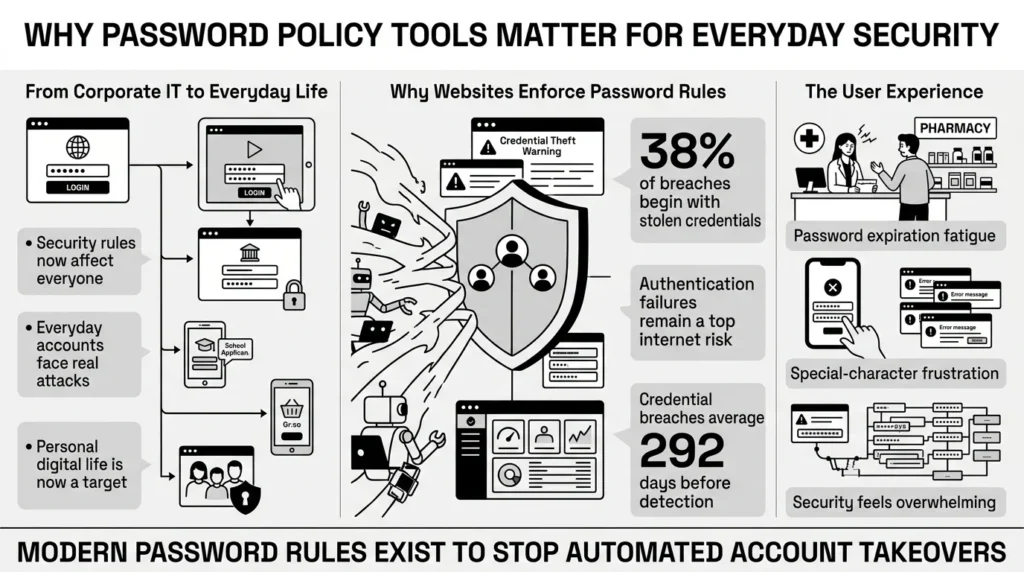
Because of this shift, the enterprise-grade security rules once reserved for the office are now showing up in our personal lives. We see them on our favorite streaming services, our online banking portals, our children’s school applications, and even our grocery delivery apps.
Understanding why these rules exist is the first crucial step to controlling your own digital life. According to the 2024 Verizon Data Breach Investigations Report (DBIR), credential compromise remains the absolute top entry point for cybercriminals globally. The comprehensive report found that stolen credentials—simply logging in with a stolen username and password—were the initial access vector in 38% of all data breaches. Furthermore, the OWASP Foundation, a leading authority on web application security, lists identification and authentication failures as one of the most critical and pervasive security risks on the internet today.
When a website forces you to create a stronger password, they are engaging in basic risk mitigation. They are trying to protect their platform from automated attacks, but more importantly, they are attempting to protect your private information. The IBM Cost of a Data Breach Report shows that breaches caused by stolen credentials are not only the most common type of attack but also take the longest to identify and contain—averaging nearly 292 days. That is almost ten months of an unauthorized person potentially having access to a system before they are discovered.
Strong user authentication is the frontline defense against this invisible threat. By understanding how these systems work and why they ask you to jump through specific hoops, you can stop fighting the rules and start using them to your advantage to secure your own life.
The Evolution of Password Enforcement (What the Experts Say)
For years, the internet effectively trained us to hate security. To understand why, we have to look at how legacy password policy tools operated. They made us do deeply frustrating things. They forced us to change our passwords every 60 or 90 days, they required us to add random exclamation points and numbers, and they expected us to memorize a chaotic jumble of characters that made no logical sense.
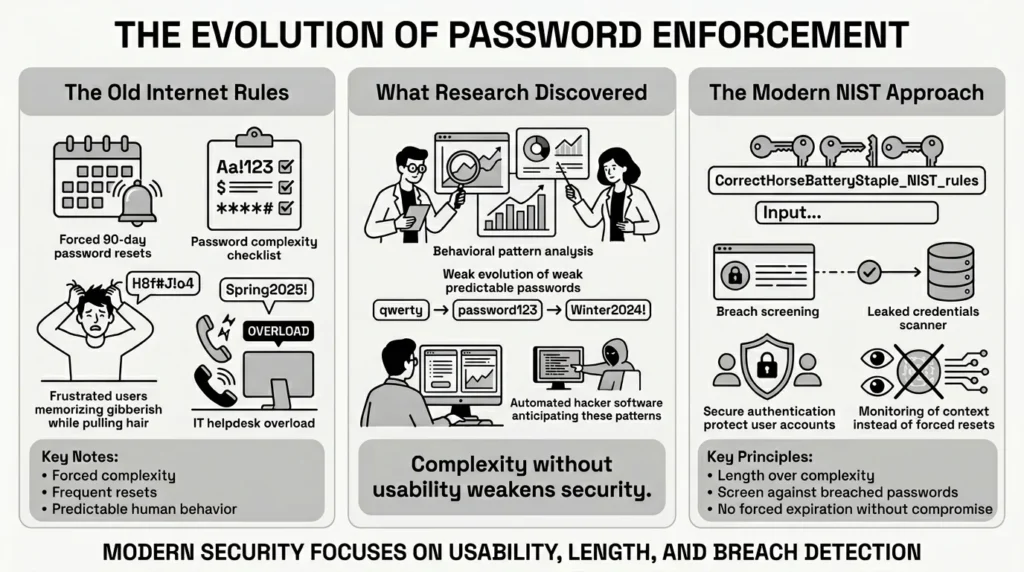
Users and IT professionals universally disliked these rules. In fact, industry analysts at Gartner have historically noted that password resets account for 20% to 50% of all IT helpdesk calls, proving that forced complexity frustrates users just as much as it drains organizational resources.
However, over the last decade, cybersecurity research has proven a critical point: these old methods actually weaken our defenses. When humans are forced to change a highly complex password every three months, they adapt by doing the bare minimum to pass the system’s test. If your password was “Winter2024!”, your next password will almost certainly be “Spring2025!”. Cybercriminals know this. They write software that anticipates these predictable human patterns.
Recognizing this deeply ingrained human element, the National Institute of Standards and Technology (NIST) modernized its digital identity guidelines. In their groundbreaking NIST Special Publication 800-63B Revision 4 update, NIST made a massive shift that completely altered the cybersecurity landscape. They officially advised organizations to stop forcing mandatory 90-day password resets and to drop the frustrating composition rules (the mandatory uppercase, lowercase, number, and symbol combinations that we all despise).
Instead, modern systems are shifting their focus to what actually works mathematically and practically:
- Length over complexity: A 15-character phrase made of normal, easy-to-remember words is mathematically much harder for a computer to crack than an 8-character string of random gibberish.
- Screening for breaches: Modern systems now actively check new passwords against known lists of stolen credentials on the dark web before letting you use them. If a password has been compromised anywhere, it cannot be used.
- No expiration without cause: Passwords should only be changed if there is a known compromise or a suspected breach, not just because a calendar page flipped.
What Usually Goes Wrong: The Friction of Forced Policies
The problem we face today is a transition phase. When websites deploy strict password policy tools without giving everyday users a way to manage them, chaos ensues. People are busy. They are trying to manage modern account overload, and they do not have time to become amateur security engineers. We have all seen this friction in real life.
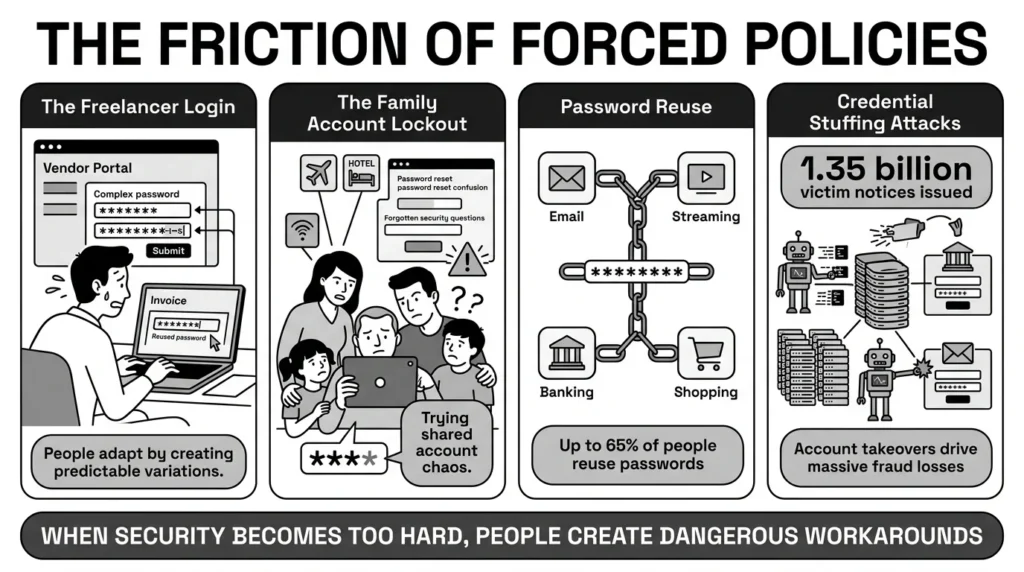
Consider a freelancer trying to log into a new client’s vendor portal to submit an invoice before the weekend. The portal demands a 14-character password with a mix of symbols and numbers. The freelancer, rushing to get paid, alters their standard banking password slightly to meet the criteria, types it in, and moves on.
Or consider a family trying to book a last-minute flight. The airline website requires an account update, but the only person who knows the family login is asleep. The spouse tries to reset the password, but the security questions ask for the make of their first car—a car they sold twenty years ago and spell differently every time they are asked.
Research, such as past Google Online Security Surveys, consistently reveals that up to 65% of people reuse the same password across multiple sites just to cope with this exact type of login fatigue. When security is too difficult, people find workarounds. They use the same login for their email, streaming service and bank. They keep passwords in unsecured phone notes, they write them on sticky notes stuck to the bottom of their keyboard, or they drop them into unprotected spreadsheets labeled “passwords.xlsx”.
Unfortunately, password reuse is exactly what cybercriminals rely on. They use automated software to perform “credential stuffing” attacks. They take a list of millions of stolen emails and passwords from a minor breach (like an old forum or a small retail site) and automatically test those exact combinations against major banks, email providers, and social media platforms.
The Identity Theft Resource Center (ITRC) 2024 Annual Data Breach Report noted that over 1.35 billion victim notices were issued in a single year. When people reuse passwords, one single database breach on a minor website can instantly compromise their entire digital identity across the web.
The fallout from this is severe and incredibly stressful for everyday people. The Federal Trade Commission (FTC) Consumer Sentinel Network reported that consumer fraud losses recently exceeded $10 billion, heavily driven by account takeovers and impersonation scams. A subsequent ITRC Consumer Impact Report highlights that these account takeovers cause immense emotional and financial distress. Victims spend countless hours on hold with fraud departments, trying to reclaim access to emails containing years of personal photos, financial records, and family correspondence.
The Hidden Risks of “Do It Yourself” Security
Faced with strict login rules, many people try to build their own systems to track it all. Unfortunately, these “do it yourself” methods often introduce massive new vulnerabilities into your personal life.
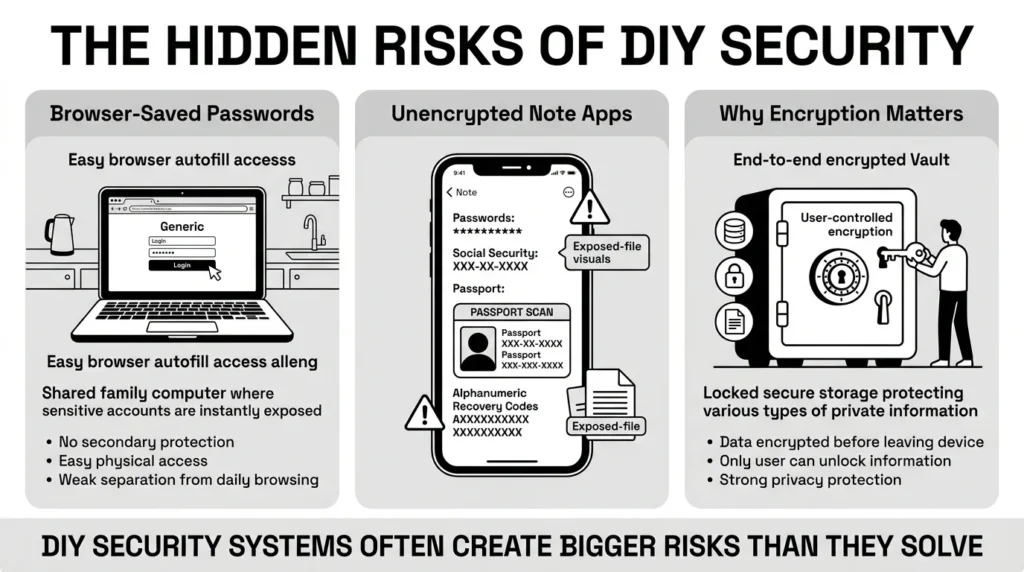
The most common DIY method is relying on the built-in password manager inside a web browser (like Chrome or Safari). While this is certainly better than reusing the same password everywhere, it comes with significant risks, especially in a family environment. Browser-saved passwords are often tied directly to your computer’s general user login. If you leave your laptop open on the kitchen counter, or if you share a desktop computer with your children, anyone who sits down and opens the browser has immediate, frictionless access to your bank, your email, and your Amazon account. There is no secondary layer of protection separating your everyday browsing from your most sensitive financial data.
Another common pitfall is using default phone note apps. We often see people storing highly sensitive information—like Social Security numbers, passport scans, tax file numbers, and recovery codes—in standard, unencrypted note applications. If that phone is lost, stolen, or compromised by a malicious app, all that data is immediately exposed in plain text.
Privacy advocates, including the Electronic Frontier Foundation (EFF), strongly recommend end-to-end encrypted storage as an absolute baseline for protecting personal information from exposure. End-to-end encryption means that the data is scrambled before it ever leaves your device, and only you hold the key to unscramble it. Without this level of protection, your DIY security system is essentially a digital house of cards waiting to collapse.
The Safer Way: Becoming Your Own Security Admin
The best way to handle this modern account overload is to fundamentally change your relationship with passwords. You have to stop relying on your memory to manage dozens of complex credentials.
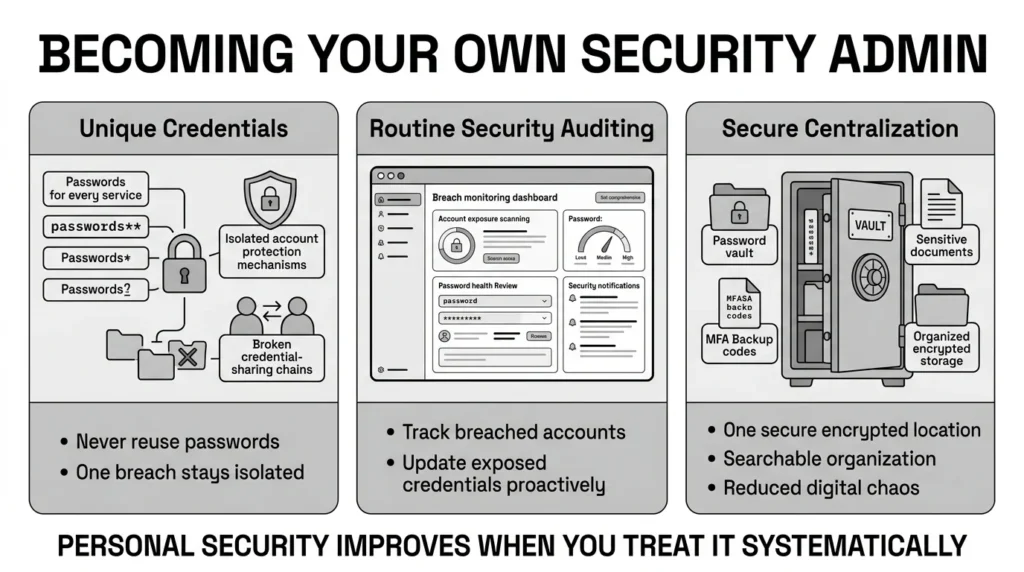
You can take the core concepts of enterprise security and apply them to your own home life by establishing your own household password policy tools and practices. Think of it as setting a personal standard for digital safety that your whole family can follow.
This involves a few core commitments:
- Enforcing unique credentials: Making a firm commitment to never, ever reuse the same password for critical accounts, no matter how minor the account seems.
- Routine auditing: Keeping track of which of your accounts have been caught in public data breaches so you can update them proactively, rather than waiting for a hacker to strike.
- Secure centralization: Moving away from keeping sensitive documents scattered across random folders, unencrypted note apps, and physical filing cabinets.
Step-by-Step: What To Do Next
You do not need a computer science degree or an IT background to radically improve your personal security. Follow these practical, step-by-step instructions to build a digital life that easily satisfies any website’s compliance standards without driving you crazy.
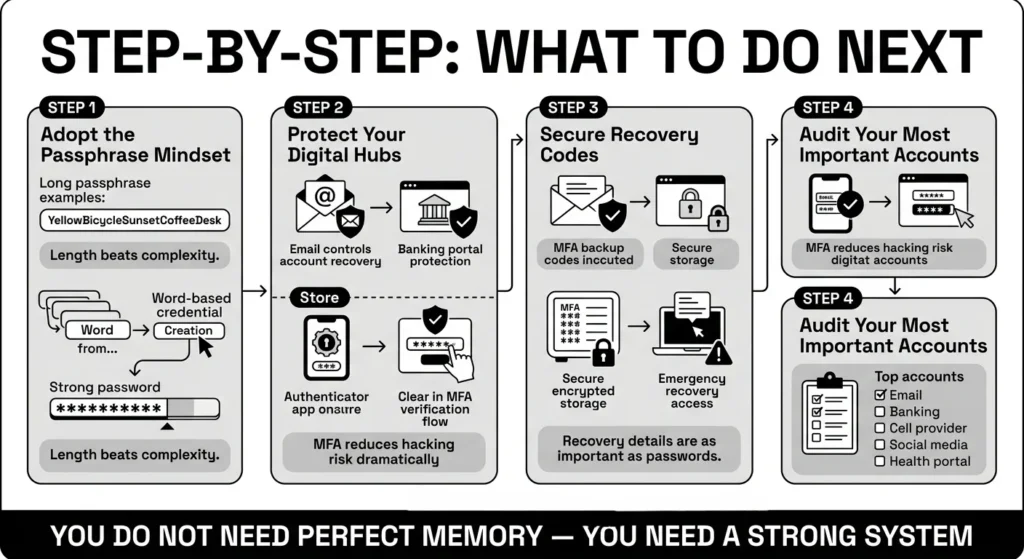
1) Shift to the Passphrase Mindset
If you absolutely must memorize a password (such as the master password for your secure vault or the login to your primary laptop), focus entirely on length rather than complex symbols. String together four or five random, unrelated words.
For example, “YellowBicycleSunsetCoffeeDesk” is easy to picture in your head, very easy to type on a mobile keyboard, and mathematically incredibly difficult for a computer to crack. A long passphrase like this will easily pass the strictest password policy tools on the web, while saving you the headache of trying to remember where you placed an exclamation point.
2) Lock Down Your Hubs with MFA
Not all accounts hold the same weight. Your primary email and bank account are the absolute hubs of your digital life. If a hacker gets into your email, they can simply click “forgot password” on every other service you use and route the reset links straight to themselves.
You must protect these hubs with Multi-Factor Authentication (MFA). The Cybersecurity and Infrastructure Security Agency (CISA) notes that implementing MFA makes you 99% less likely to be hacked. While receiving a code via text message (SMS) is better than nothing, using a dedicated authenticator app provides a massive layer of protection against targeted attacks and SIM-swapping, which CISA identifies as a primary vector for modern financial cybercrime.
3) Organize Your Account Recovery Details
When you set up MFA, websites will often give you a list of “backup codes” or “recovery codes.” These are emergency, one-time-use passwords designed to get you back into your account if you lose your phone or accidentally delete your authenticator app.
Most people ignore these codes or save them in a random folder on their desktop, which is a disaster waiting to happen. If your laptop crashes and you lose your phone, you are completely locked out of your digital life. You must save your critical backup codes in a secure, remote, encrypted location. A secure personal vault is the perfect place to store these details alongside your passport scans and health insurance information.
4) Audit and Update Your Critical Logins
Do not try to fix every password you own in a single afternoon; you will only overwhelm yourself. Start with triage. Identify your top 5 most important accounts. Usually, this includes your primary email, your bank, your cell phone carrier portal, your primary social media account, and your medical or health insurance portal.
Enter each of these five accounts today. Generate a completely random, unique, highly secure password for each using a generator. Store those new credentials securely, and turn on MFA for all five. You’ve just eliminated most of your digital risk in about thirty minutes.
How WhiteVault Helps Keep This Manageable
Trying to manually keep up with the endless demands of modern identity verification, document management, and breach monitoring is exhausting. It turns everyday people into anxious administrators of their own lives. Instead of fighting the friction yourself, let WhiteVault do the heavy lifting.
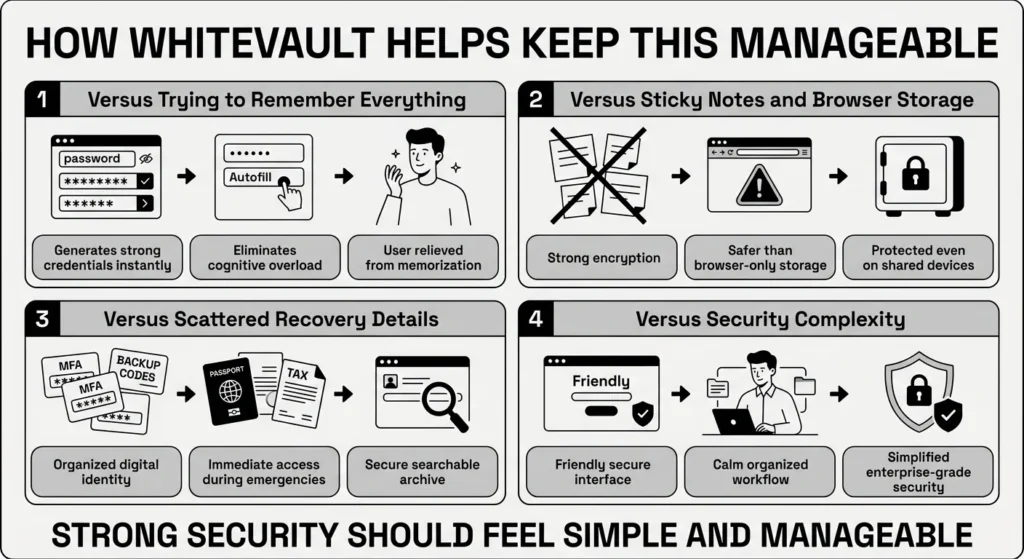
WhiteVault acts as your secure personal vault, running quietly in the background of your digital life. It is designed specifically for busy professionals, parents, retirees, and families who need strong protection without the daily friction of managing it all by hand.
Here is how WhiteVault transforms everyday security from a chore into a seamless experience:
- Versus trying to remember everything: When a banking website demands a 20-character password with mixed symbols, you don’t have to invent one. WhiteVault generates it instantly, saves it securely, and autofills it the next time you visit. You satisfy password policy tools instantly while completely removing the cognitive load.
- Versus sticky notes and browser storage: WhiteVault uses advanced, zero-knowledge encryption to protect your data. This makes it a far safer alternative to standard browser storage, which can be easily accessed by anyone using your unlocked computer. Your vault remains locked and protected, even if you hand your laptop to a child or a coworker.
- Versus scattered recovery details: WhiteVault is a secure home for your entire digital identity. It goes beyond just passwords. Save your MFA backup codes, your childhood security answers, your property documents, and your tax files exactly where you can find them. When you are traveling and suddenly need a scan of your passport, it is available immediately in your vault.
- Versus security complexity: We built WhiteVault to provide simple security for everyday life. We give you the strong protection of a corporate enterprise tool, but with an interface that feels friendly, calm, and manageable. You get peace of mind without needing an IT manual to understand your own accounts.
Habits That Keep You Safer Over Time
Better security rarely comes from one dramatic, stressful weekend of changing every setting you own. It usually comes from a few simple, manageable habits repeated consistently over time. Once your secure personal vault is set up and your top accounts are secured, focus on integrating these simple routines into your daily life:
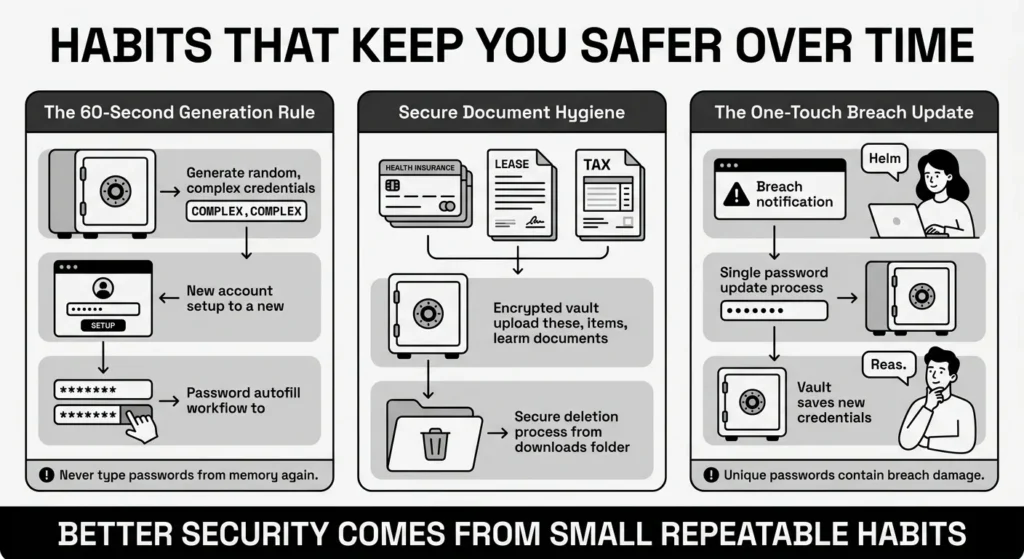
- The 60-Second Generation Rule: Whenever you are forced to update an old password, or whenever you create a brand new account (even for a one-time purchase), take the extra 60 seconds to let your vault generate a random credential. Never type a password from memory again.
- Secure Document Hygiene: Stop treating your desktop as a binder. When you receive a new digital health insurance card, a signed lease agreement, or a tax document, immediately upload the file to your secure vault. Once it is safely encrypted, securely delete the original unencrypted file from your downloads folder.
- The “One-Touch” Breach Update: If you receive an alert that a company you use has suffered a data breach, do not panic. Because you use unique passwords for everything, your other accounts are safe. Simply log into the breached site, generate a new random password, save it in your vault, and move on with your day. It turns a massive security threat into a minor administrative chore.
Conclusion
The digital security landscape is changing rapidly, and the rules are getting stricter. But that does not mean you have to feel overwhelmed, anxious, or locked out of your own life. The strict prompts we see online are just password policy tools doing their job to keep hackers out of the systems we rely on.
By understanding how these rules work—focusing on long passphrases, using entirely unique credentials for every site, and organizing your recovery documents securely—you take the power back from cybercriminals. Better security is simply a matter of a few good habits repeated consistently, rather than relying on perfect memory. We built WhiteVault to make those habits effortless. Save, remember, and protect what matters, all in your secure personal vault.
Frequently Asked Questions (FAQ)
1) What are password policy tools?
Password policy tools are the automated, background systems used by websites, banks, corporate networks, and applications to enforce strict security rules during the login or account creation process. They are the underlying programs that require your password to be a certain length, force you to include specific special characters, or proactively prevent you from reusing a password that has been exposed in a previous, known data breach. Their primary goal is to stop automated hacking attempts.
2) How do I know if my password is actually strong enough?
A strong password is fundamentally defined by two things: length and uniqueness. If your password is at least 15 characters long (ideally a passphrase made of random words), does not contain easily predictable patterns like “1234” or “qwerty,” and has absolutely never been used on any other website in your life, it is highly secure. Using a secure personal vault to randomly generate your passwords guarantees that they are mathematically strong enough to withstand advanced, automated guessing attacks.
3) How often should I change my password?
According to the latest, modernized guidelines from the National Institute of Standards and Technology (NIST), you should only change your password if you have a specific reason to do so. This means you should update it if you suspect it has been compromised in a data breach, if you accidentally shared it with someone, or if you know an unauthorized person has accessed your account. Periodic, forced rotation (like changing it every 90 days just for the sake of it) is no longer recommended by security experts because it encourages people to create weaker, more predictable passwords.
4) Password manager versus browser storage: Which is better for daily use?
A dedicated secure vault or third-party password manager is significantly safer and more versatile than standard browser storage (like the built-in Chrome or Safari managers). Browser-saved passwords are often tied directly to your computer’s general user profile; if someone obtains physical access to your unlocked laptop, they can usually access all your saved accounts with zero friction. A dedicated vault provides a separate, robust layer of strong encryption, works seamlessly across all your different devices and browsers, and allows you to store much more than just passwords.
5) Is it safe to write my password on paper?
Writing passwords on a physical piece of paper and storing it in a locked drawer is generally safer than storing them in an unencrypted digital format, like a spreadsheet or a phone note app. A hacker operating from another country cannot physically read a piece of paper in your home office. However, paper has major drawbacks: it cannot generate strong passwords for you, it cannot autofill logins, and it can be easily lost, stolen, or destroyed in a fire or flood. A secure digital vault offers the best balance of strict, encrypted protection and everyday convenience.
6) What actually happens if a company I use gets breached?
If a company you do business with suffers a data breach, cybercriminals may acquire the specific username and password you used for that site. If you made the mistake of reusing that exact same email and password combination on your bank or your personal email, the hackers will use automated tools to break into those accounts as well. However, if you use unique, randomly generated passwords for every single account, the damage is contained entirely to that one breached website. You simply log in, change that single password, and your digital life remains secure.
7) How should I organize my recovery codes, IDs, and digital documents?
Highly sensitive files should never be scattered randomly across your computer’s desktop, left sitting indefinitely in your email inbox, or stored in default phone applications. You should store your Multi-Factor Authentication (MFA) backup codes, passport scans, tax records, and family medical documents inside an encrypted digital vault. This ensures they are fully searchable when you actually need them (like during travel or a medical emergency), backed up safely against hardware failure, and entirely hidden from unauthorized access by strong encryption.
8) How does WhiteVault help with this topic?
WhiteVault acts as your personal command center for digital security and organization. Instead of trying to memorize complex login rules or fighting with forced password resets, WhiteVault automatically generates incredibly strong credentials, securely stores your most sensitive personal documents, and keeps everything organized in one highly encrypted environment. It provides ultimate peace of mind, perfectly simplified for the everyday user who just wants a secure place to save, remember, and protect what matters most without the stress of becoming a security expert.


