
You are rushing to download a tax form. A pop-up says you need a quick PDF viewer update to proceed. You click “update,” log into your banking portal, and move on. What you do not realize is that the fake update just installed hidden software recording every single letter you type. According to IBM’s 2025 Cost of a Data Breach Report, compromised credentials remain the single most common way attackers gain access to our personal lives. Keylogger protection matters because these silent threats bypass strong passwords by simply watching you enter them. At WhiteVault, we help people save, remember, and protect what matters, making your digital security feel manageable, practical, and completely under your control instead of overwhelming.
Quick Answer A keylogger is malicious software that secretly records your keystrokes to steal passwords. You can stop them by using reputable security software, avoiding suspicious downloads, enabling multi-factor authentication, and using a secure vault to autofill credentials instead of typing them.
Why This Topic Matters for Everyday Security
For most of us, digital security is just a chore standing between us and what we actually want to do online. You might be a freelancer juggling client portals, a parent managing school health portals, or a retiree keeping track of Medicare and banking logins. When you are busy, thinking about keylogger protection feels like something only corporate IT departments should worry about.
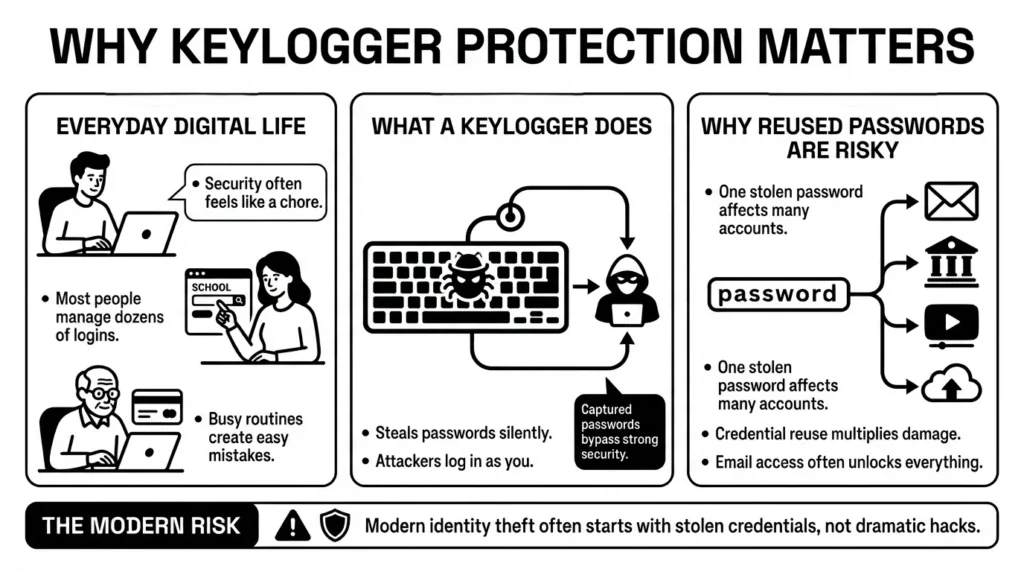
However, modern identity theft often starts with simple, silent software. The Federal Trade Commission’s (FTC) 2025 Consumer Sentinel data reported over 1 million identity theft complaints, many stemming from stolen digital credentials. Furthermore, the 2025 Verizon Data Breach Investigations Report (DBIR) notes that over 60% of system intrusions involve the use of stolen credentials or keylogging malware.
A keylogger is a type of spyware designed specifically to log every single key you press on your keyboard. According to the Cybersecurity and Infrastructure Security Agency (CISA), malware like keyloggers is one of the primary ways attackers gather the personal information needed for account takeovers. If an attacker records you typing your email address and your password, they do not need to hack the website’s servers. They simply log in as you.
We have all reused passwords at some point. It is human to want something familiar, especially when we are forced to create dozens of accounts. But recent 2025 password habit studies show that up to 65% of people still reuse the same password across multiple platforms. If a keylogger captures a reused password, the risk multiplies. An attacker who compromises your streaming account might suddenly have the keys to your email, your banking app, and your digital document storage. Understanding how these tools work is the best way to keep your private information secure without panic.
What Usually Goes Wrong: How Keyloggers Sneak In
The first step in keylogger protection is knowing how this software actually ends up on your devices. Keyloggers do not magically appear; they almost always require a little bit of accidental help from the user.
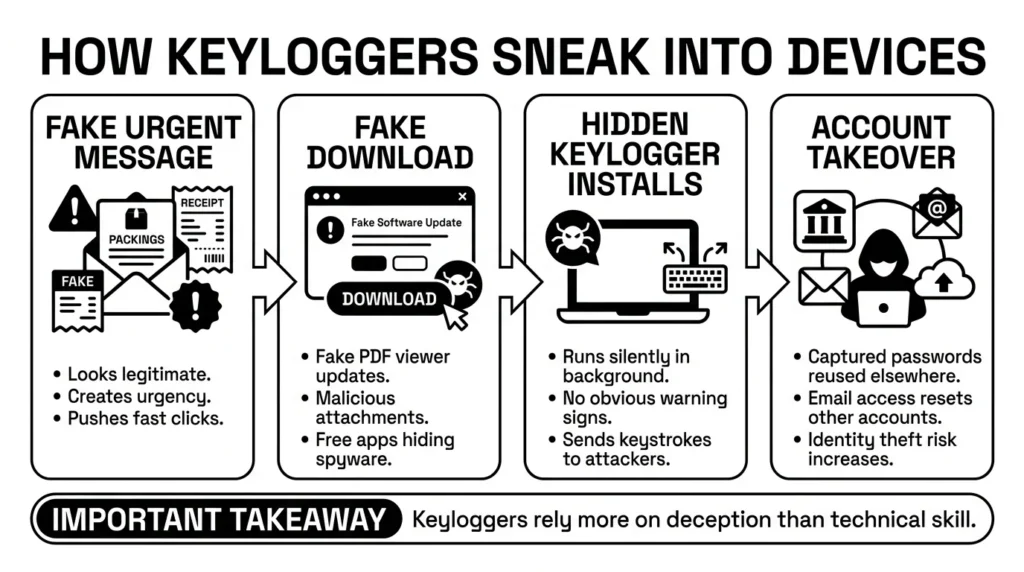
One of the most common scenarios happens during a busy day. You receive a phishing email that looks exactly like a tracking receipt for a package you are expecting. You click the link, download the attached “receipt,” and without realizing it, you have installed hidden malware. The Anti-Phishing Working Group’s (APWG) late-2025 trends report revealed that phishing attacks specifically tied to malware delivery have jumped over 40%.
The FTC’s consumer guidance on malware notes that scammers frequently disguise spyware inside free games, random apps, or fake alerts. Once installed, the keylogger runs quietly in the background. It does not delete your files or flash red warning screens. Its entire purpose is to remain invisible while it sends a text file of your keystrokes back to the scammer. The Identity Theft Resource Center (ITRC) 2025 Data Breach Report highlights that these kinds of account takeovers surged by more than 30% recently, heavily driven by deceptive downloads.
These scenarios are incredibly common, and falling for a clever phishing text does not make you foolish. Scammers work very hard to make their fake software updates and urgent emails look legitimate. The goal is not to feel guilty about past clicks, but to set up reliable malware detection so that one accidental click does not lead to a compromised account.
The Safer Way to Handle It: Practical Defense
Building your keylogger protection strategy does not require a degree in computer science. It simply requires layering a few basic defenses so that if one fails, another catches the threat.
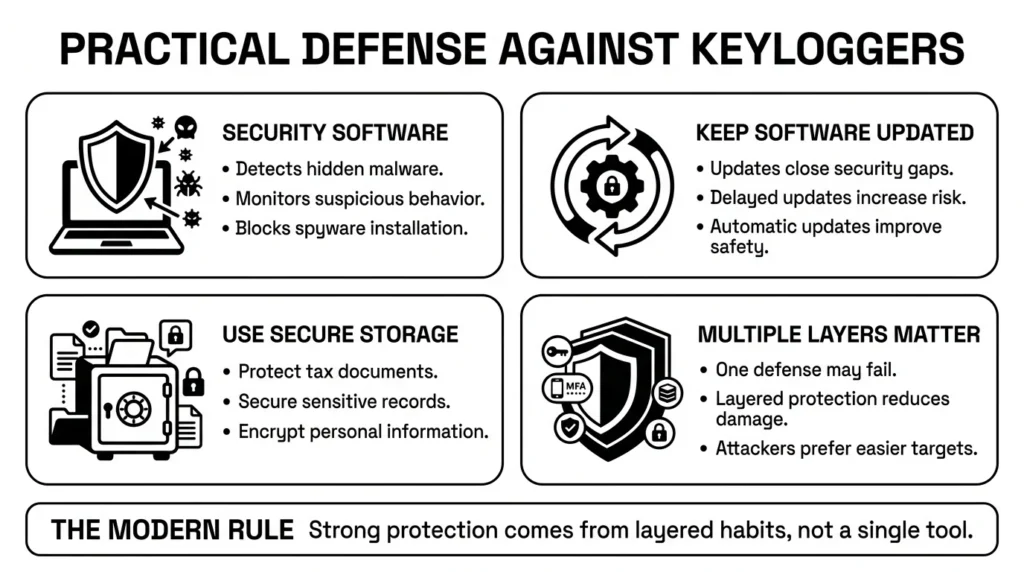
The foundation of your defense is robust security software. Independent security testing groups like the AV-TEST Institute reported identifying over 400,000 new malicious programs, including spyware variants, every single day in 2025. Good antivirus software does not just look for old-school viruses that break your computer; it performs active system monitoring to catch these new spyware variants trying to hide in the background.
Most importantly, you must stay current with your software updates. Despite the risks, studies like those from the Pew Research Center show nearly one-third of everyday users frequently delay installing critical software updates. We are all guilty of putting off an update when we are in the middle of a project. However, software companies constantly discover vulnerabilities that hackers use to sneak malware onto devices, and updates are how they close those doors. Ignoring them leaves the door wide open.
Finally, consider where you store your files. If a keylogger compromises your computer, you do not want your tax records, Social Security numbers, and insurance forms sitting in an unprotected desktop folder named “Personal.” Using secure document storage with strong encryption means that even if a device is compromised, your actual files remain unreadable to unauthorized users.
Step-by-Step: What To Do Next to Secure Your Devices
Controlling your digital security feels much better than worrying about it. Here are the practical steps you can take today to make your devices significantly harder for keyloggers to target.
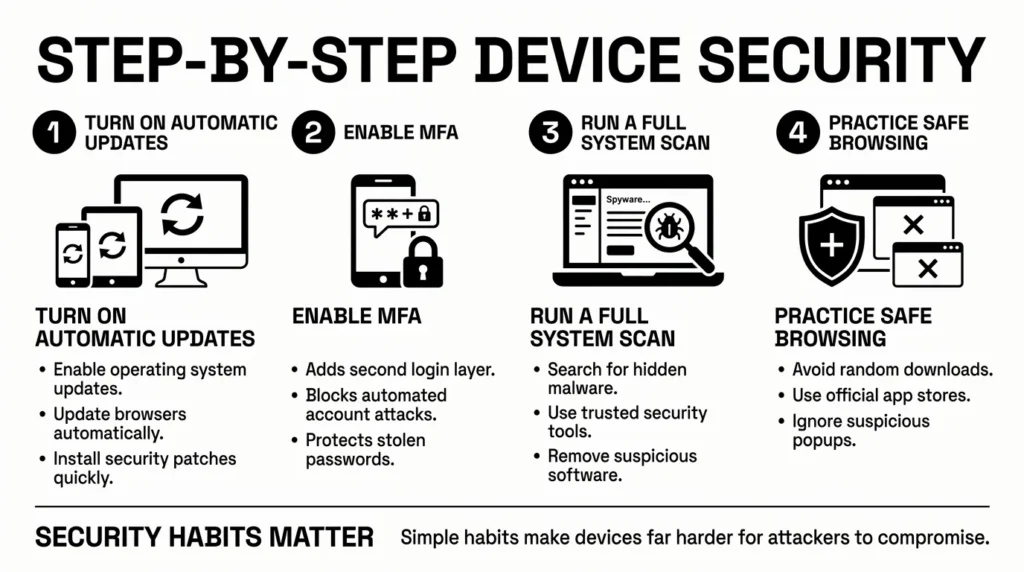
Step 1: Turn on Automatic Updates
Go into the settings of your phone, tablet, and computer, and ensure automatic updates are enabled for both the operating system and your web browsers. This ensures you always have the latest security patches.
Step 2: Enable Multi-Factor Authentication (MFA)
The National Institute of Standards and Technology (NIST) strongly recommends using MFA everywhere possible. The 2025 Microsoft Digital Defense Report reinforces that enabling MFA can block up to 99% of automated account compromise attacks. Even if a keylogger captures your password, the attacker cannot log in without the secondary code sent to your phone.
Step 3: Run a System Scan
If you have never checked your computer for malware, do so today. Use your built-in tools like Windows Defender or reputable third-party security software to run a “full system scan.” This acts as intrusion detection, finding and removing spyware already hiding on your hard drive.
Step 4: Practice Secure Browsing
The Cybersecurity and Infrastructure Security Agency’s (CISA) Shields Up initiative emphasizes that safe browsing habits and pop-up blockers are vital to preventing accidental malware downloads. Be incredibly cautious about downloading software from third-party sites. Always go directly to the official app store.
By following these steps, effective keylogger protection involves making your accounts incredibly frustrating for attackers to crack. When you make it difficult for them, they generally move on to easier targets.
How WhiteVault Helps Keep This Manageable
Recent NordPass 2025 research found that the average consumer now juggles over 100 digital accounts. Trying to memorize that many complex, unique passwords usually leads to people writing them on sticky notes or keeping them in an unprotected spreadsheet. Neither of those habits is safe. A core part of practical keylogger protection is changing how you enter your passwords entirely.
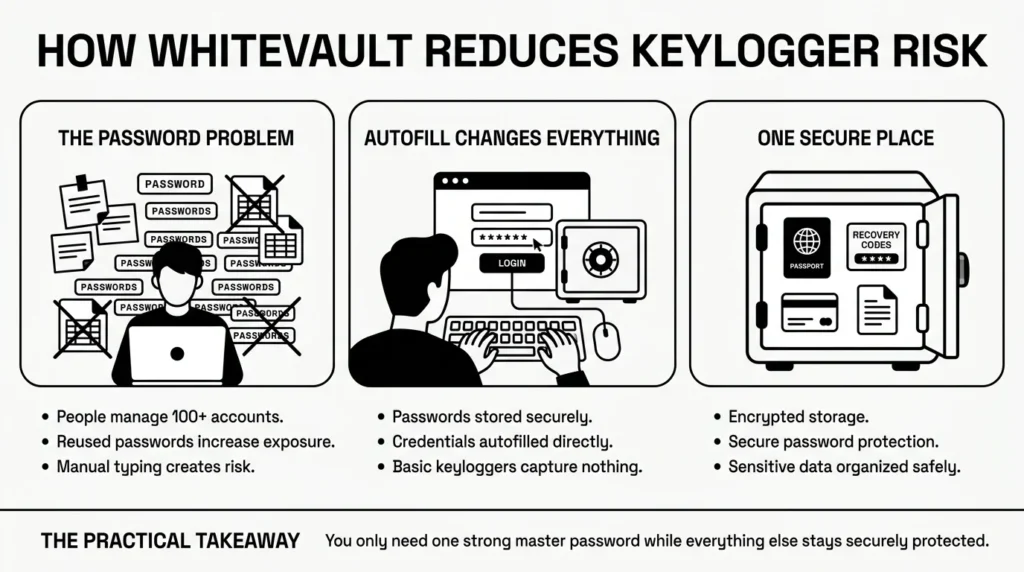
If you do not physically type your password on your keyboard, a keylogger cannot record your keystrokes.
WhiteVault acts as your secure personal vault. Instead of typing your passwords into websites day after day, you save them inside WhiteVault. When you need to log in to an account, WhiteVault can autofill your credentials directly into the browser or app. Because the keystrokes are bypassed, a basic keylogger watching your keyboard is left empty-handed.
Furthermore, WhiteVault provides robust password protection and data encryption. We use industry-standard encryption to ensure that the private information you store—whether it is your banking passwords, your backup recovery codes, or a digital scan of your passport—is unreadable to anyone but you.
Versus trying to remember everything, WhiteVault allows you to store credentials, recovery details, and important information securely in one encrypted place. You only need to remember one strong Master Password. Everything important, one secure place.
Habits That Keep You Safer Over Time
Better security rarely comes from installing one piece of software and forgetting it. It comes from building a few calm, sustainable habits.
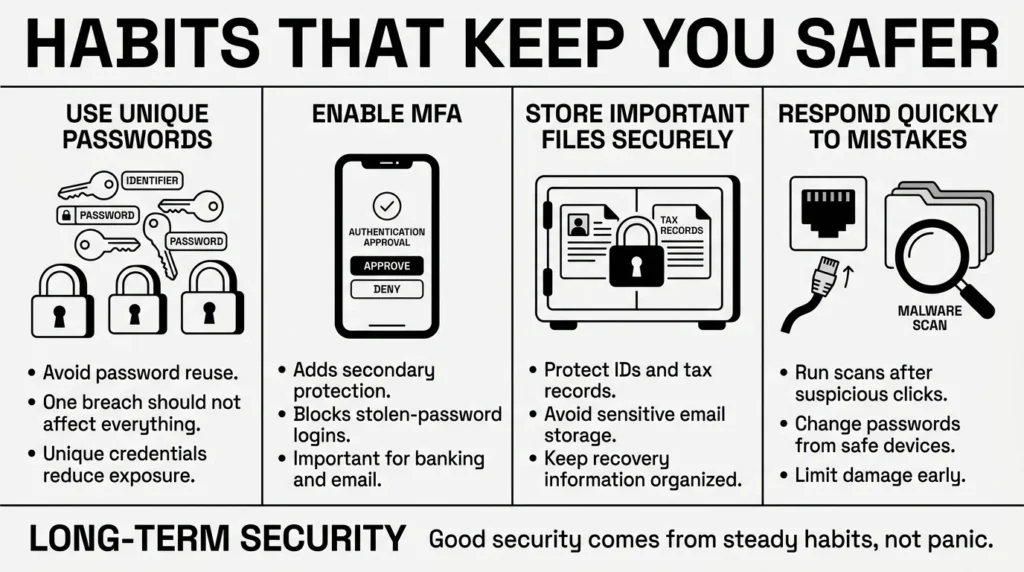
The Open Worldwide Application Security Project (OWASP) warns that attackers rely heavily on massive databases of stolen credentials to fuel automated attacks. Implementing reliable keylogger protection over time does not mean you have to become a cybersecurity expert. It simply means utilizing tools that prevent your passwords from ending up in those databases in the first place.
Be gentle with yourself if you make a mistake. If you realize you clicked a bad link, do not panic. Simply disconnect from the internet, run a malware scan, and use a safe, separate device (like your smartphone) to change the passwords for your most sensitive accounts.
Unique passwords, multi-factor authentication, organized documents, and a secure place to keep what matters will naturally protect you from the vast majority of digital threats. WhiteVault was built for exactly that. Save, remember, and protect what matters, all in your secure personal vault.
Frequently Asked Questions (FAQ)
1) What exactly is a keylogger in plain language?
A keylogger is a type of hidden software that records every button you press on your keyboard. Scammers use it to secretly capture your usernames, passwords, credit card numbers, and private messages as you type them.
2) Does basic antivirus software include keylogger protection?
Usually, yes. Most modern, reputable security and antivirus software includes active scanning that looks for spyware and keyloggers. However, you must keep the software updated and perform occasional full-system scans for it to be fully effective.
3) How often should I scan my computer for malware?
If you have active security software running in the background, it is checking files automatically. However, running a manual “full system scan” once a month—or immediately after you click a suspicious link or download a strange file—is a great habit to maintain.
4) Are keyloggers the same as computer viruses?
Not exactly. A traditional virus is often designed to damage your files, corrupt your system, or spread to other computers. A keylogger is a type of spyware; it wants your computer to run perfectly normally so you do not realize it is there while it steals your data.
5) Can my smartphone get a keylogger? Or is this just a computer problem?
While more common on desktop computers, smartphones can be infected with keyloggers, usually if you download malicious apps from outside the official Apple App Store or Google Play Store. Sticking to official app stores and keeping your phone updated is your best defense.
6) Is it illegal for someone to put a keylogger on my device?
If a scammer or unauthorized person installs a keylogger on your device to steal your personal information, it is highly illegal and a form of cybercrime. However, some companies legally use similar activity-monitoring software on company-owned work computers to track productivity.
7) How does organizing my private documents protect against these threats?
If a keylogger steals your email password, an attacker can search your email history for unencrypted tax forms, ID scans, and bank statements. Moving those sensitive files out of your email inbox and into an encrypted, organized vault limits the damage an attacker can do if they ever get a password.
8) How does WhiteVault help with keylogger protection?
WhiteVault securely stores your passwords and can autofill them into websites for you. By autofilling your credentials instead of physically typing them on your keyboard, you bypass the keystrokes that basic keyloggers rely on to steal your information.


