
You just brought home a new phone, but the excitement fades the moment you realize you have to log back into dozens of apps. Suddenly, you are guessing credentials you haven’t typed in years, staring down an account lockout. We have all hit that frustrating wall. Tracking password security metrics sounds like a corporate job, but it is actually the secret to making everyday digital chores stress-free. At WhiteVault, we help people save, remember, and protect what matters, so your digital life feels calm and entirely under your control.
Quick Answer Password security metrics are measurements of how safe your accounts are, looking at factors like password length, uniqueness, and extra protections. Tracking these simple numbers helps protect your private information from data breaches, common scams, and frustrating account takeovers.
Why This Topic Matters for Everyday Security
Usually, password security metrics are tools corporate IT teams use to monitor enterprise databases. Security engineers spend their days analyzing charts to see if their company is vulnerable to cyberattacks. But today, everyday people are managing just as much digital risk as a small business. You juggle banking credentials, family health portals, streaming services, online shopping accounts, and travel documents. If you do not have a way to measure how safe those accounts are, you are essentially flying blind.
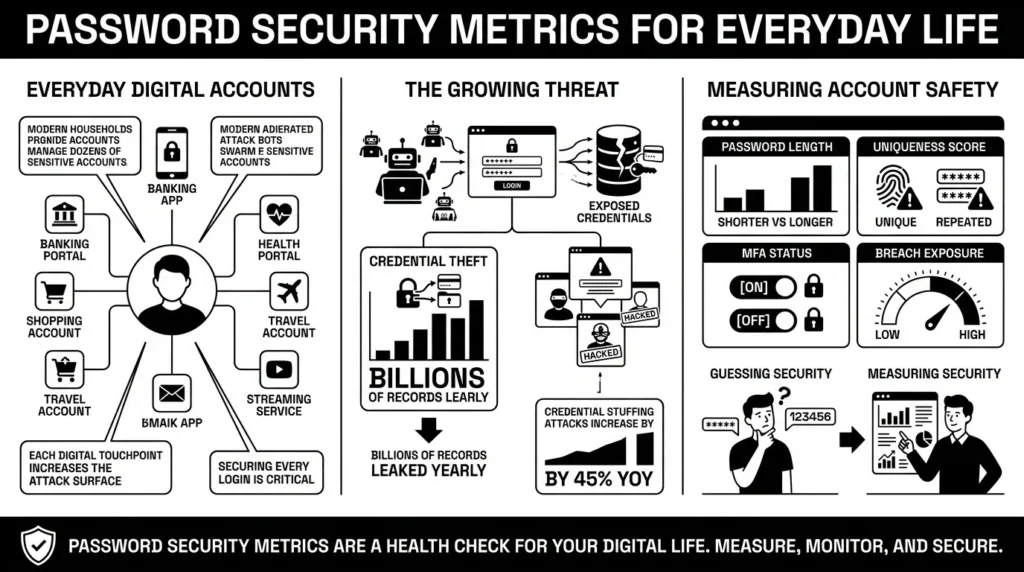
According to the 2024 Verizon Data Breach Investigations Report (DBIR), the problem is incredibly common. Stolen credentials were the initial access point in 38% of all data breaches. Furthermore, the report documented over 10,626 confirmed data breaches globally in a single year. These numbers show that everyday people are rarely targeted by master hackers sitting at a keyboard; instead, they are targeted by automated programs looking for the easiest locks to pick.
Looking at personal account safety is simply a health check for your digital life. It moves you from guessing if your private information is safe to actually knowing it is. This means looking beyond basic password strength to understand more advanced concepts in a practical way. For instance, security experts often talk about entropy measurement—which is just a technical term for how random and unpredictable your password is.
If your password is “Summer2026!”, it has very low unpredictability because millions of people use the season and the year. If your password is a random phrase like “YellowCoffeeMugsAreHeavy,” it has incredibly high unpredictability. The more random and unique your credentials are, the higher your attack resistance against automated systems trying to force their way into your accounts.
The financial stakes for everyday consumers are real. The Federal Trade Commission (FTC) reported that consumer fraud losses skyrocketed to $12.5 billion in 2024, a massive 25% increase from the previous year. Specifically, imposter scams accounted for $2.95 billion of those losses. Many of these scams succeed because basic account protections are missing, allowing bad actors to manipulate compromised accounts. By understanding how to measure your security, you ensure your digital front door is not left wide open.
What Usually Goes Wrong
It is completely human to want something familiar. When faced with creating your fiftieth login for a new website, your brain naturally falls back on a phrase or a pattern you already know. We have all reused passwords because remembering a unique combination of symbols and letters for every single service feels impossible.
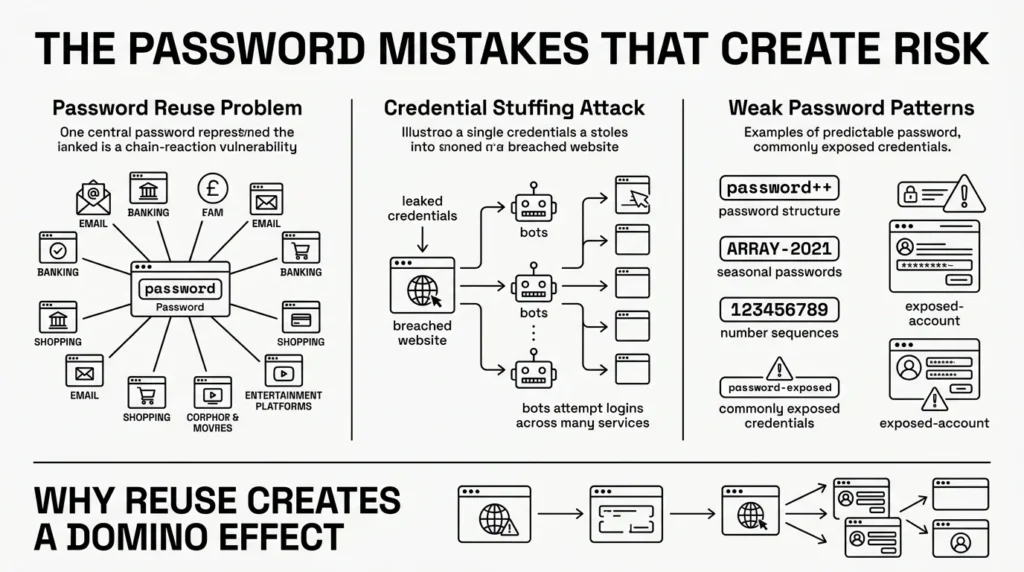
In fact, the Bitwarden 2024 World Password Day Survey found that 54% of people still rely on human memory to manage their passwords, while 33% use pen and paper. The same survey noted that 25% of global respondents reuse passwords across 11 to 20 or more accounts.
However, this high reuse rate directly increases your credential stuffing vulnerability. Credential stuffing is a specific type of attack where hackers take a list of leaked passwords from one compromised website—like an old fitness forum or a shopping site—and use automated bots to test those same email and password combinations across thousands of other sites.
The threat is highly active and growing. The Identity Theft Resource Center (ITRC) 2025 Annual Data Breach Report tracked a record-breaking 3,322 data compromises, representing a staggering 79% jump over the past five years. When you reuse a password, you are relying on the weakest website you use to protect your most important accounts.
SpyCloud’s 2025 Identity Exposure Report found that a startling 70% of users exposed in breaches had reused those same passwords across multiple accounts. The report also found that simple phrases like “123456”, “Admin”, and passwords referencing cats are still the most commonly exposed credentials globally. If your local flower shop’s website gets hacked and you used the same login there as you do for your email, the attackers now have the keys to your inbox. You might get a password reset email you did not request and wonder whether to worry—this is the exact moment when old, reused credentials come back to haunt you.
The Safer Way to Handle It
The good news is that the rules for creating a safe password have changed in your favor. For years, we were told to use a frustrating mix of uppercase letters, lowercase letters, numbers, and special symbols, changing them every 90 days. This led to people creating passwords like “Password123!” and updating it to “Password124!”—a habit that provides almost no real protection.
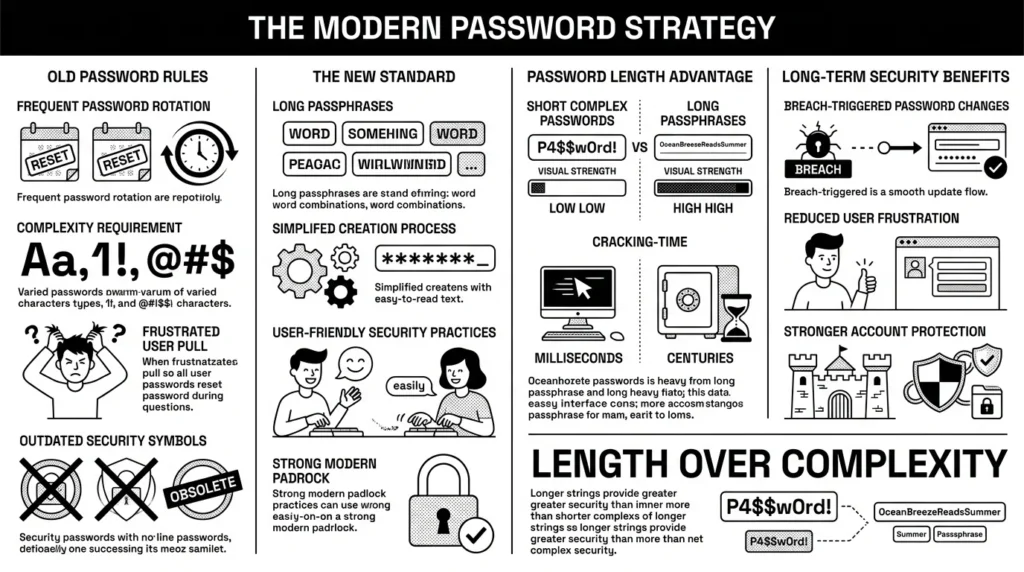
In mid-2025, the National Institute of Standards and Technology (NIST) released their updated SP 800-63B Revision 4 guidelines. They officially moved away from forcing mandatory complexity and 90-day rotations. Instead, the modern standard focuses almost entirely on length, encouraging passphrases of 15 characters or more for humans.
Why is length so much more important than complexity? Because of the cracking time estimate. Modern computer hardware can guess an 8-character complex password in weeks. But a 15-character password made of simple lowercase words takes those same computers centuries to crack. A passphrase like “correct blue horse battery” is vastly stronger than “P@ssw0rd1!”.
Longer passphrases also vastly improve your password longevity. Under the new NIST guidance, you only need to change a long, unique passphrase if you are notified that the specific website was involved in a data breach. Tracking basic password security metrics like length is the easiest, most practical way to immediately upgrade your family’s safety without adding daily friction.
Step-by-Step: What To Do Next
Improving your digital security does not require a weekend-long project or a degree in computer science. You can drastically improve your personal password security metrics by taking a few deliberate steps.
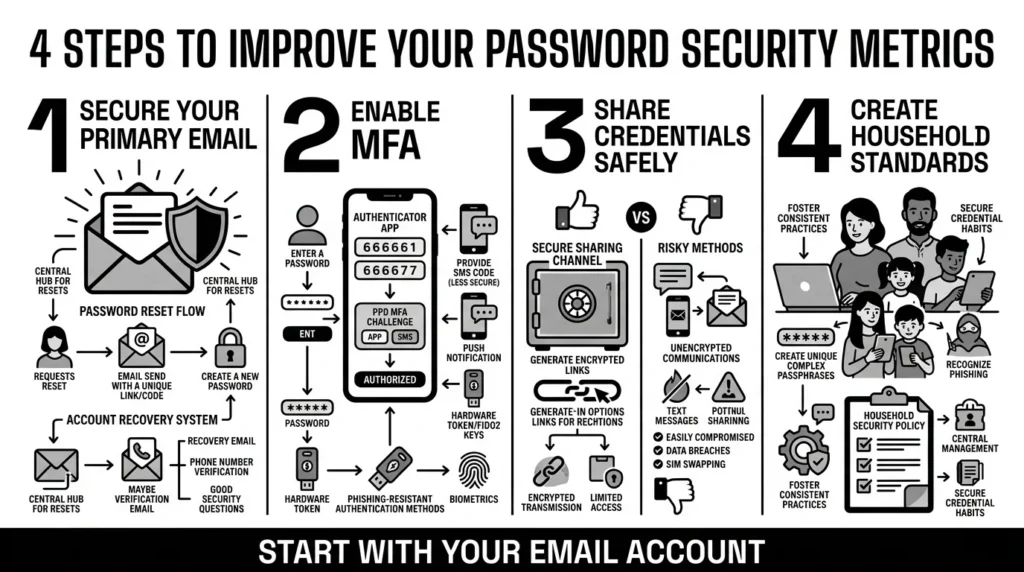
Step 1: Secure Your Primary Email Account
Your primary email address is the master key to your digital life. If someone gains access to it, they can click “Forgot Password” on virtually every other account you own. Ensure your email account has a long, unique 15-character passphrase that you have never used anywhere else. According to IBM’s 2024 Cost of a Data Breach Report, credential-based attacks are devastatingly stealthy, taking an average of 292 days just to identify and contain. Locking your email is your first line of defense.
Step 2: Enable Multi-Factor Authentication (MFA)
Enable two-factor authentication (2FA) or multi-factor authentication (MFA) on your most important accounts. Even if your password leaks, strong two-factor authentication effectiveness stops attackers because they lack the secondary code. Cybersecurity firm CIT’s 2025 MFA rankings note that the industry is actively moving away from easily intercepted SMS text messages, urging users toward authenticator apps and phishing-resistant hardware keys as the new standard.
Step 3: Stop Sharing Passwords Unsafely
Avoid texting passwords to family members or emailing them to yourself. If a text message is intercepted or a device is lost, that private information is exposed. If you must share a login for a joint bank account or a family streaming service, use a secure sharing method through an encrypted platform.
Step 4: Establish a Household Standard
In a family setting, talk about your user compliance rate—which simply means how well everyone in the house is following the new safety rules. Are your teenagers actually using unique passwords, or are they falling back into old habits? Help them transition to safer methods without judgment. It is telling that 79% of IT and cybersecurity leaders recommend using a password manager to their own family members to help bridge this gap.
Managing Documents and Account Recovery
Accounts are not just about daily logins; they are also about recovery. Imagine you are traveling, your laptop crashes, and the only scan of your passport is buried in an old, unencrypted desktop folder you cannot access. Or perhaps you are filling out a critical financial form and cannot recall the security answer you created 8 years ago.
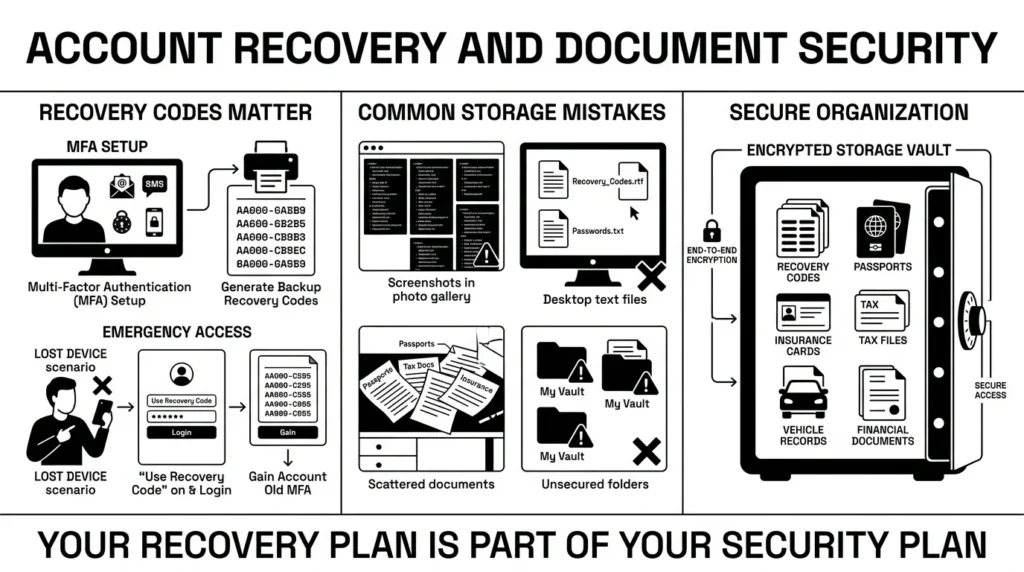
Your overall security efforts only matter if you can actually recover the account when a device breaks. Most major platforms give you “recovery codes” when you set up multi-factor authentication. These are emergency passcodes designed to let you back in if you lose your phone.
Unfortunately, people often take a screenshot of these codes and leave them in their phone’s photo gallery, or save them in a random text file. If malware infects your computer, attackers easily read those text files. IBM’s 2024 report found the global average cost of a data breach reached a massive $4.88 million, largely because sensitive data is often left sitting in unencrypted, easily accessible environments.
The same applies to important documents like health insurance cards, tax files, vehicle titles, and property documents. Keeping these scattered across email attachments and physical desk drawers leaves you vulnerable during a family emergency. You need a centralized, encrypted system to store recovery details and essential life documents.
How WhiteVault Helps Keep This Manageable
Trying to remember a unique, 15-character passphrase for 100 different websites is impossible. Managing recovery codes, security questions, and digital copies of your passport across multiple devices is equally exhausting. That is why people end up using sticky notes, messy spreadsheets, or the basic storage in their web browser, all of which offer weak protection against modern threats.
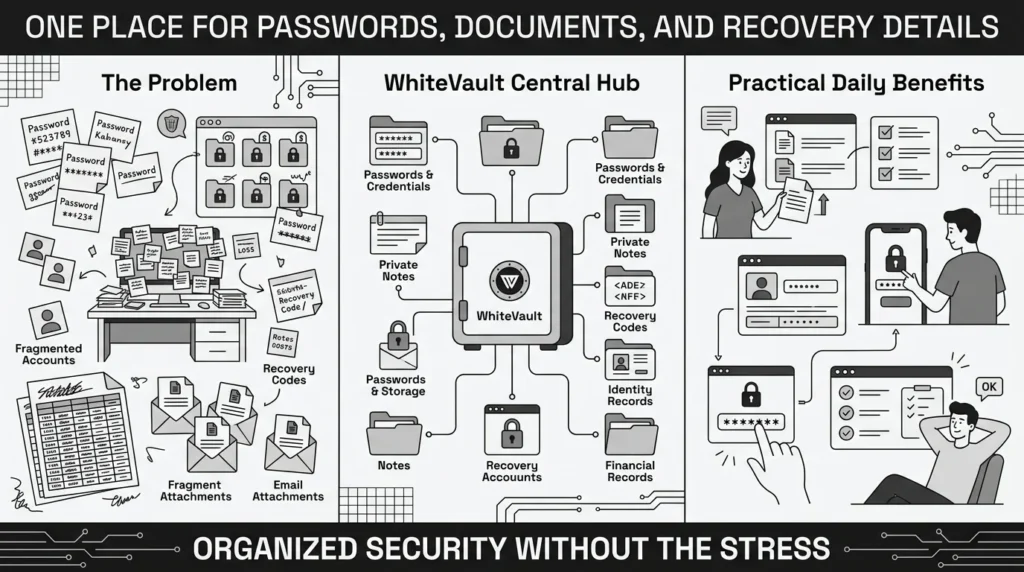
This is where setting a strict policy enforcement level for yourself comes in handy. You can make a personal rule that no credential or sensitive document gets left in an unencrypted folder. WhiteVault gives you a practical, secure alternative.
WhiteVault is a secure personal vault for credentials, passwords, recovery details, private notes, and important documents. Instead of scattering your life across different apps, you can store your most critical information in one encrypted place. By using WhiteVault, you automatically improve your password security metrics because you no longer rely on memory to maintain strong logins. You get the peace of mind that comes from simple security for everyday life, ensuring that when a parent asks where the insurance card is, you know exactly where to find the latest protected copy.
Habits That Keep You Safer Over Time
Better security rarely comes from one dramatic, exhausting change. It usually comes from a few simple habits repeated consistently over time. Do not try to update all 150 of your online accounts on a single Sunday afternoon; you will only end up frustrated.
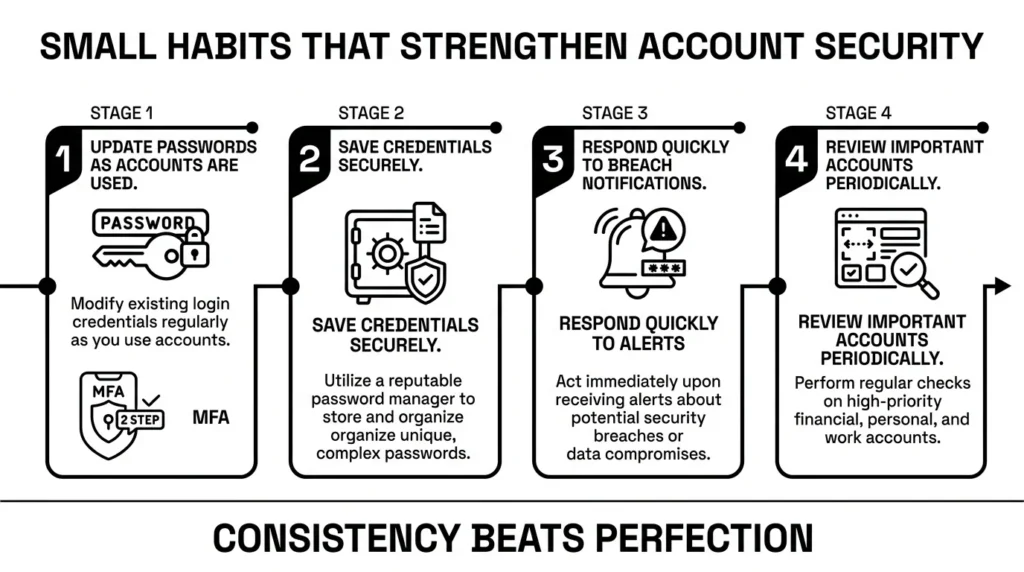
Instead, use the “fix it as you use it” method. The next time you log in to buy a pair of shoes or check a streaming service, take 60 seconds to update that specific password to a strong, unique credential and save it in your vault. If you receive a legitimate breach notification email, update that one account immediately.
Over the next few months, your overall account security will naturally improve. You will transition from having dozens of vulnerable, reused passwords to having a tightly secured digital footprint. Security should adapt to your daily routine, not vice versa.
Conclusion
We know managing modern account overload is frustrating. But controlling your password security metrics does not have to be a confusing, stressful project. It is simply about adopting a few practical habits: using longer passphrases, stopping the reuse of old favorites, turning on two-factor authentication, and finding a secure place to keep your records organized. Better security comes down to consistency rather than perfection. WhiteVault was built to remove friction from this process. Save, remember, and protect what matters, all in your secure personal vault.
Frequently Asked Questions (FAQ)
1) What are password security metrics?
In plain language, they are ways to measure how strong and secure online accounts are. Instead of just guessing if you are protected, these measurements look at things like how long your passwords are, how often you reuse them across different websites, and whether you have extra protections like two-factor authentication turned on. Tracking these helps you see where you might be vulnerable to hackers or scams.
2) How do I know if my passwords are weak?
You can tell a password is weak if it is shorter than 15 characters, if it includes easily guessable personal information (like a pet’s name or birth year), or if you use the exact same password for more than one website. If you are using “Password123!” or a slight variation of a single phrase everywhere, your accounts are currently at high risk.
3) How often should I check or change my passwords?
Under modern security guidelines from experts like NIST, you no longer need to change your passwords every 30, 60, or 90 days. If you are using long, unique passphrases stored securely, you only need to change a password if you suspect someone else knows it, or if you receive an alert that the specific website was involved in a data breach.
4) Are password managers better than writing passwords in a notebook?
Yes, significantly better. While writing passwords in a physical notebook keeps them off the internet, a notebook cannot autofill your login details, cannot warn you if you are on a fake phishing website, and is easily lost or damaged. A digital vault encrypts your credentials so that even if your device is stolen, your private information remains completely locked.
5) What is the safest way for a beginner to protect their accounts?
The most effective first step for a beginner is to secure their main email account. Make sure your email has a very long, unique password that you do not use anywhere else, and turn on multi-factor authentication (MFA). Since almost every other account you own can be reset via your email, protecting your inbox is the biggest upgrade you can make.
6) If my password is in a data breach, is my identity at risk?
It depends on what the password protects and if you reused it. If a low-level forum gets breached and you use a unique password there, the risk is minimal. However, if you reused that same password for your banking, email, or medical portals, attackers can use it to log in and steal your personal identity details. This is why unique passwords are so important.
7) How should I organize my recovery codes and security answers?
Never store recovery codes or security answers in an unencrypted phone note, a draft email, or a loose document on your computer desktop. Treat them exactly like highly sensitive passwords. You should organize them inside a dedicated, encrypted digital vault where they are fully searchable but entirely locked behind a strong master credential.
8) How does WhiteVault help me manage all these passwords and documents?
WhiteVault acts as your secure personal vault, combining credential storage with private document management. Instead of trying to memorize dozens of passphrases or searching through messy computer folders for a passport scan, WhiteVault encrypts and organizes everything in one place. It helps you safely save, remember, and protect what matters most without complicating your daily routine.


