
You are sitting in an urgent care waiting room, and the receptionist needs your updated insurance card. The account is under your partner’s name, and you know their password—but the moment you try to log in, the portal demands a six-digit verification code sent to their phone. The problem? They are currently on a flight with no Wi-Fi. Without a clear emergency password access plan, a stressful moment just became an administrative nightmare. At WhiteVault, we help everyday people save, remember, and protect what matters, so security feels manageable.
Quick Answer
Planning your emergency password access means securely organizing and sharing your critical logins, recovery codes, and important documents with a trusted person before a crisis happens. It ensures your loved ones can manage your accounts safely when you cannot.
Why This Topic Matters for Everyday Security
Security advice usually focuses on keeping bad actors out. But for everyday families, the reality is that we also need a reliable way to let the right people in. When an unexpected illness, a sudden accident, or a lost device disrupts your daily life, an emergency password access strategy is what keeps a bad day from becoming a bureaucratic nightmare.
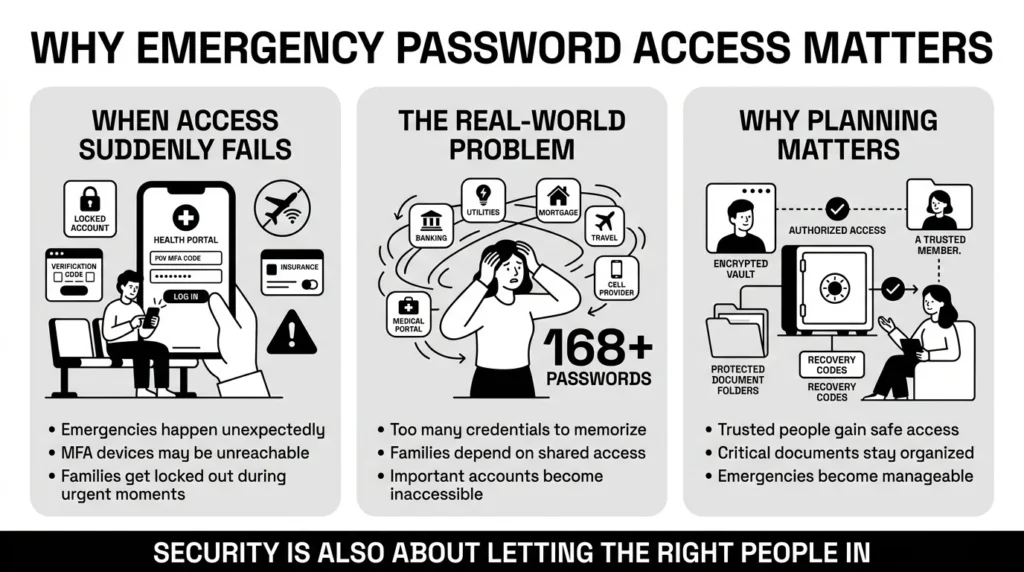
Consider the sheer volume of accounts we rely on today. According to recent financial and digital estate planning research by Empower, the average person now manages over 168 passwords. That is a staggering number of digital keys to keep track of. Nobody can memorize 168 unique, complex passwords, let alone the security questions, personal PINs, and multi-factor authentication (MFA) methods that go with them.
Despite this complexity, few families are prepared. According to 2025 estate planning data from Caring.com, nearly 70% of adults do not have a formal plan for their digital legacy, leaving families locked out during critical moments. Furthermore, a Pew Research Center study noted that a majority of adults are now called upon to help older relatives manage digital accounts and healthcare portals—a task made nearly impossible without safely shared access.
If you are the primary person handling the finances, travel plans, or utility bills in your household, what happens if you are unavailable? A spouse might need to pay a sudden medical bill. A child might need to locate a copy of a birth certificate. Building a system for your loved ones is a practical way to ensure they are never left guessing, scrambling, or locked out when they simply need to help you.
What Usually Goes Wrong
When families do not plan ahead, a crisis often forces them to make risky decisions. We have all seen how panic can override common sense. The security systems built to protect us can suddenly feel like walls keeping us out.
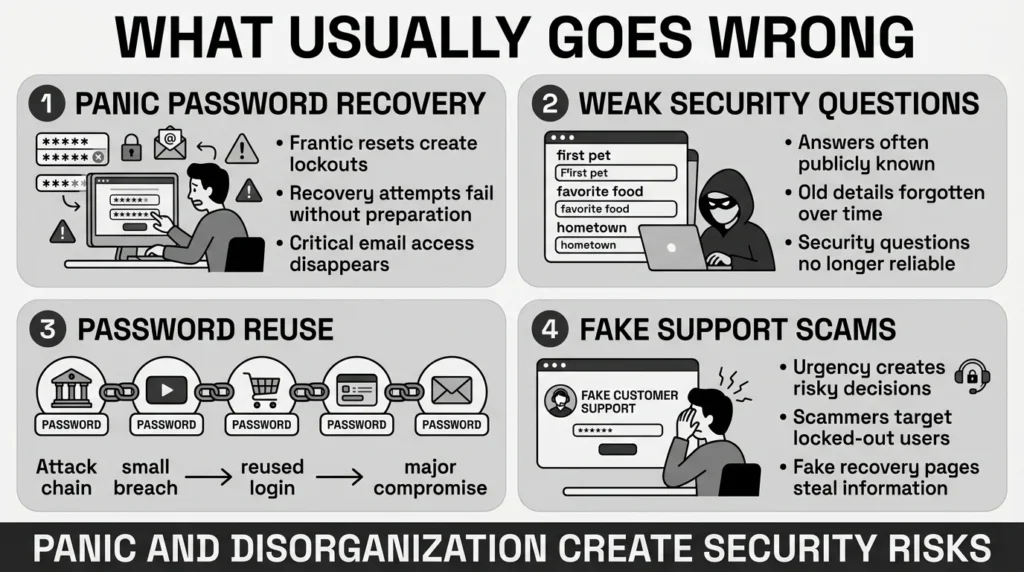
One of the most common issues is attempting a frantic password recovery without the right tools. The Identity Theft Resource Center’s 2025 trends report highlights that account takeover (ATO) attacks remain a leading cause of consumer distress, often triggered by frantic, insecure recovery attempts where users inadvertently lock themselves out of primary email or banking services.
In the past, people relied on security questions for a quick password reset. You are filling out a form and can’t recall the security answer you made 8 years ago. The National Institute of Standards and Technology (NIST) now officially advises against using security questions because the answers are often public knowledge. In fact, Google security research has shown that attackers can guess many common security answers—like a favorite food or first pet—on the very first try for roughly 20% of users.
Another misstep happens when people reuse the same password for everything just to make it “easy” for their family to guess. We have all reused passwords so we are not locked out of Netflix during movie night. However, this habit creates a massive vulnerability. The 2025 Verizon Data Breach Investigations Report (DBIR) consistently finds that over 80% of web application breaches involve stolen or reused credentials.
Desperation can also lead to falling for scams. If someone is locked out of a vital account, they might search online for “customer support.” Sadly, scammers excel at creating fake support pages. According to 2025 reporting by the Federal Trade Commission (FTC), consumers reported losing a record $12.5 billion to fraud, with imposter and fake support scams driving massive losses. Scrambling for emergency password access through unverified channels often leads directly into the hands of these scammers.
The Safer Way to Handle It
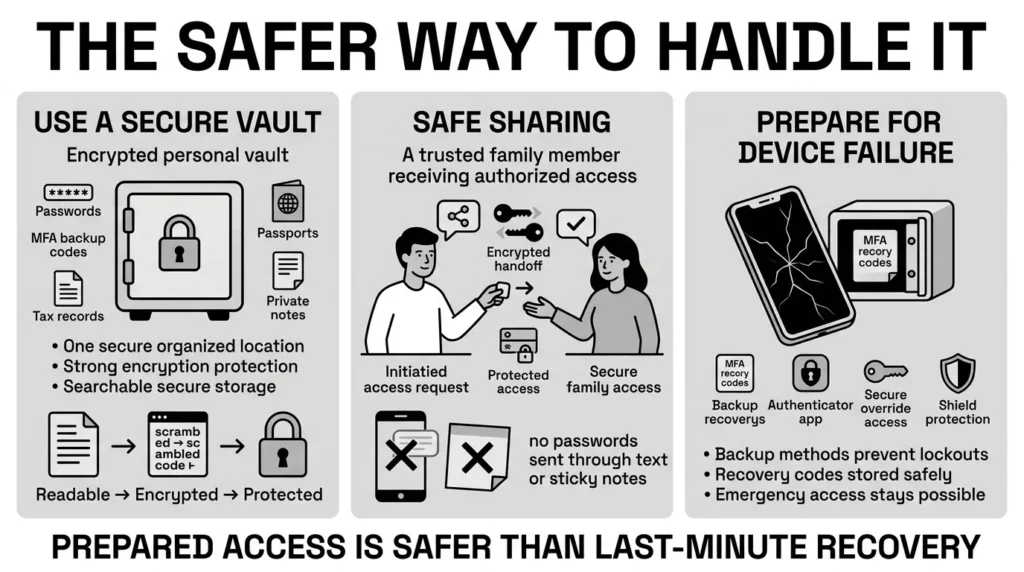
The best approach to sharing credentials is to rely on established, secure methods rather than risky workarounds. True access control is not about hiding a master list under the keyboard; it is about storing sensitive data in an encrypted environment and granting permission thoughtfully.
Despite the risks of unorganized passwords, the 2025 Password Manager Annual Report by Security.org found that only about 35% of users rely on a dedicated, secure password manager. Most still rely on memory or unsafe physical notes.
Instead of sticky notes, use a dedicated, encrypted manager. A secure personal vault allows you to store your unique, strong passwords alongside backup recovery codes, scanned passports, tax files, and private notes. You can then ensure that a trusted family member or legal proxy has the specific instructions or master access required to open that vault if you are incapacitated.
You should also embrace backup methods. The Cybersecurity and Infrastructure Security Agency (CISA) strongly recommends enabling multi-factor authentication (MFA) on all important accounts, especially since Microsoft’s ongoing identity security research proves that MFA can block over 99.9% of automated account compromise attacks. But what if the phone receiving the MFA text is broken in an accident? The safer way is to download the account’s backup recovery codes—the long string of letters and numbers provided when you set up MFA—and store them directly in your secure vault.
Step-by-Step: What To Do Next
Building a solid plan does not have to happen all at once. You can start small and build your records over a few weekends. Here is a simple, effective path to follow.
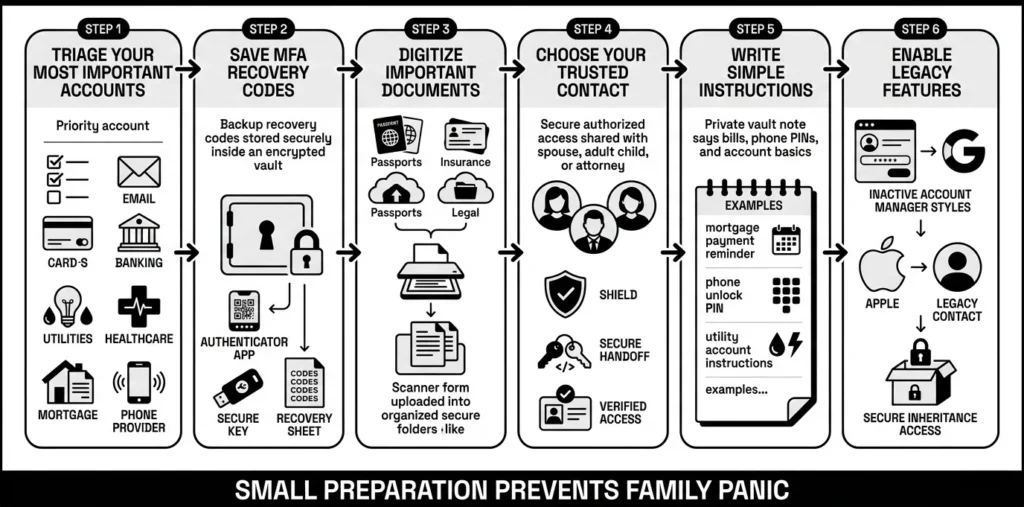
1) Triage Your Most Important Accounts
You do not need to document all 168 accounts right away. Start with the essentials. Ask yourself: if I could not touch my computer for a month, what would my family absolutely need to access?
- Primary email accounts (this is the master key to resetting all other passwords)
- Banking and financial portals
- Utility, rent, and mortgage accounts
- Cell phone provider accounts
- Medical portals and health insurance
2) Save Your Recovery Codes and MFA Details
Whenever you turn on two-factor authentication for an email or bank account, the service usually offers a list of one-time backup codes. Do not skip this step. Save these codes in your encrypted vault. If your primary phone is lost or damaged, these codes are the only legitimate system override available to prove your identity.
3) Digitize and Store Your Physical Documents
Passwords are only half the battle. Your family will also need vital documents. Take clear, well-lit photos or scans of your driver’s license, passport, health insurance cards, social security cards, and any relevant legal documents. Upload these files to your secure personal vault and organize them into clear folders. Having searchable storage means no more digging through dusty filing cabinets during a crisis.
4) Appoint Your Trusted Contact
Decide who will handle your affairs. This might be a spouse, an adult child, a trusted sibling, or an attorney. Have an honest conversation with them. Tell them where your secure vault is located and walk them through the process of logging in so they feel comfortable using the tools you have put in place.
5) Write Down the “How-To”
Create a secure private note inside your vault that explains the basics: “The mortgage is paid on the 15th via the Chase account,” or “The PIN to unlock my primary cell phone is 123456.” These small context clues save hours of frustration.
6) Set Up Legacy Features on Major Platforms
Both Apple and Google offer built-in “Legacy Contact” or “Inactive Account Manager” features. These tools allow you to designate a person who can request access to your photos, emails, and files after a designated period of inactivity or upon providing a death certificate.
How WhiteVault Helps Keep This Manageable
We built WhiteVault because managing emergency password access shouldn’t require an advanced IT degree. It should be simple, safe, and intuitive. When you are juggling family life, work, and personal obligations, security often takes a back seat. But WhiteVault is designed to help you organize your digital life seamlessly without adding daily friction.
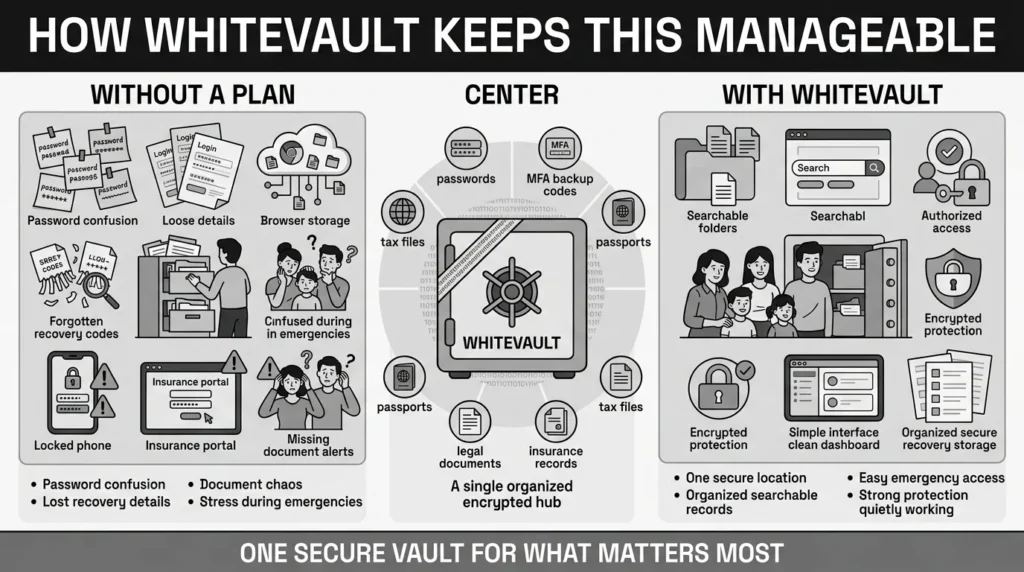
- Versus trying to remember everything: Store credentials, recovery details, and important information securely in one encrypted place.
- Versus sticky notes and browser storage: Use stronger protection with easy access when you actually need it.
- Versus document chaos: Keep important files—like IDs, tax records, and insurance papers—organized, searchable, and available.
- Versus scattered recovery details: Save backup codes, recovery keys, and security answers where you can find them later.
- Versus security complexity: Use a simple interface backed by strong protection.
WhiteVault gives you one trusted place to store what matters most. By keeping your logins and documents in a secure personal vault, you ensure that your family has authorized access to your digital life without compromising your daily privacy.
Habits That Keep You Safer Over Time
A good security plan requires a little maintenance to stay healthy. Better security rarely comes from one dramatic change; it comes from sustainable habits.
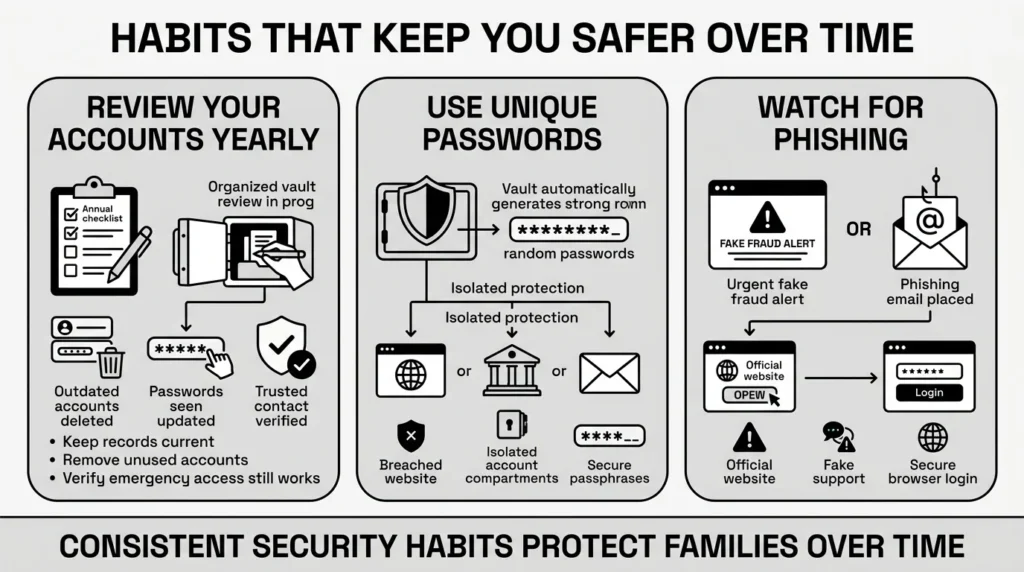
First, make it a habit to review your accounts annually. The 2025 IBM Cost of a Data Breach Report continues to rank compromised credentials as the most frequent initial attack vector. Delete the accounts you no longer use, update the passwords you have recently changed, and verify that your trusted contact still knows how to access the vault. Establishing this security protocol ensures your information is never outdated.
Second, embrace unique passwords. Let your secure personal vault generate and remember long, random passwords for you. This isolates risk. If a minor website is breached, your bank and email remain perfectly safe.
Finally, stay vigilant against urgent text messages and emails. The Anti-Phishing Working Group (APWG) tracks millions of unique phishing sites annually, many designed to mimic the exact urgent alerts families receive during emergencies (like fake bank fraud alerts). If you are worried about an account, open your web browser, navigate directly to the official website, and log in using the safe credentials saved in your vault.
Conclusion
Life is unpredictable, but your digital security does not have to be. Taking the time to organize your passwords, multi-factor authentication codes, and sensitive documents ensures that your loved ones are never left stranded during a difficult time. Better security rarely comes from one dramatic change. It usually comes from a few simple habits repeated consistently: unique passwords, safer recovery details, organized documents, and a secure place to keep what matters.
Setting up your emergency password access is ultimately an act of care for your family. It removes the stress of locked accounts and lost documents during life’s hardest moments. WhiteVault was built for exactly that. Save, remember, and protect what matters, all in your secure personal vault.
Frequently Asked Questions (FAQ)
1) What is an emergency credential plan?
Emergency password access is a proactive plan that allows a trusted family member, friend, or legal proxy to securely retrieve your account logins, recovery codes, and important documents if you are incapacitated, traveling, or otherwise unavailable. It is a way to pass the digital keys to someone you trust without compromising your daily security.
2) How do I know if my current setup is secure enough?
If your current method involves a physical notebook, a spreadsheet on your desktop, sticky notes on a monitor, or saving everything in your web browser, it is vulnerable to theft, loss, and hardware failure. A secure setup relies on an encrypted digital vault that requires a master password or biometric authentication to open, ensuring that only you—and the people you explicitly authorize—can see your information.
3) How often should I update my recovery plan?
You should review your accounts and important documents at least once a year. A good habit is to check your vault during tax season or when you receive a new credit card, ensuring that your trusted contact has the most up-to-date information. If you change a major password, like your primary email or banking login, update it in your vault immediately.
4) Is it better to store passwords digitally or on paper?
Digital storage in an encrypted vault is significantly safer and more practical than paper. Anyone who finds it can lose paper in a move, destroyed in a fire, accidentally thrown away, or read. An encrypted digital vault is backed up, searchable from anywhere, and mathematically protected from unauthorized eyes.
5) Is it safe to share my passwords with a family member?
Yes, but only if done correctly. You should never send passwords via text message, email, or social media chat, as these unencrypted channels are easily intercepted. Instead, use a secure sharing feature within an encrypted vault, or provide a trusted proxy with the master credentials to a dedicated emergency vault.
6) What if someone abuses my shared information?
This is why choosing your trusted contact is the most important step. You should only grant access to someone you implicitly trust, such as a spouse, an adult child, or a legal representative. Furthermore, organizing your information securely means you dictate exactly what they have access to and how they receive it, rather than leaving everything out in the open.
7) How should I organize my backup codes and physical documents?
Keep them categorized and clearly labeled. Create specific folders inside your vault named “Identity Documents,” “Financial Logins,” and “MFA Recovery Codes.” When you save a recovery code for your email, place it in the same digital entry as the email password so your family does not have to hunt for it. Clean, searchable structure prevents panic.
8) How does WhiteVault help with this topic?
WhiteVault provides a secure, encrypted environment where you can organize all your passwords, multi-factor authentication codes, and sensitive document scans in one place. By keeping everything in your secure personal vault, emergency password access becomes a simple process of unlocking one safe, rather than tearing apart the house looking for sticky notes or guessing old security answers.


