Your PayPal account is more than just an app on your phone; it is a direct line to your bank account and credit cards. We all use it for everything from splitting dinner bills to buying holiday gifts. Because it holds such sensitive financial data, keeping it locked down is critical. Yet, many of us fall into the trap of setting a password years ago and never touching it again.
Recent data suggests that the average person manages over 100 web-based accounts. Memorizing unique codes for every single one feels impossible without help. As a result, people often reuse the same login credentials across multiple sites. This habit puts your financial information at risk. If a hacker breaches a small, less secure forum where you used the same credentials, they suddenly have the access codes to your financial life.
This guide focuses on practical steps to secure your money. We will look at why a Paypal change password routine is one of the smartest safety moves you can make. We will also cover how to create codes that are hard to crack but easy to manage, and how tools like WhiteVault can help you organize these critical credentials so you never lose access to your assets.
Why Password Safety Matters for PayPal Users
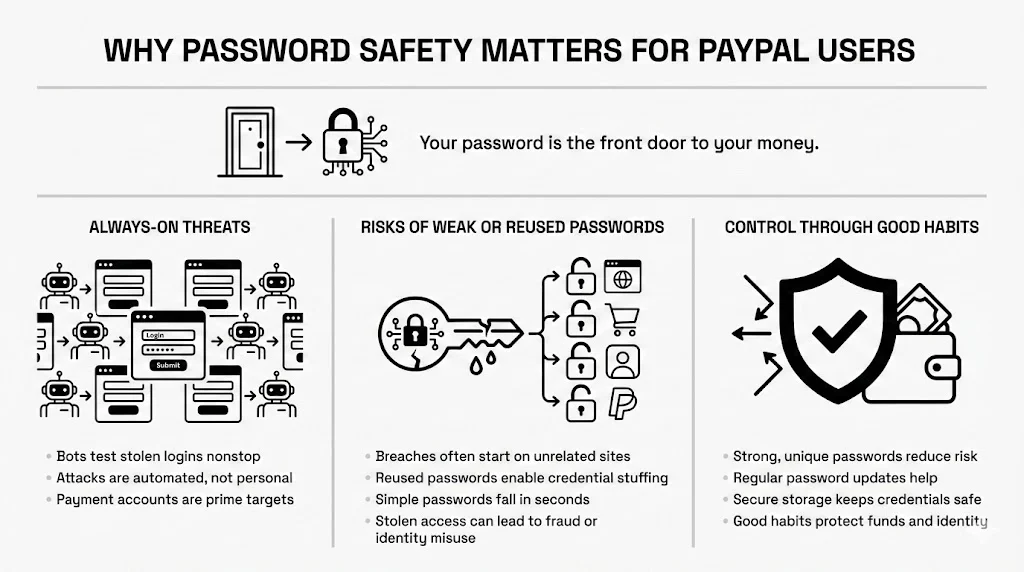
When you think about home security, you likely imagine locking the front door. In the virtual world, your password serves that same function. However, the threats here are invisible and constant. Automated bots scan the internet 24/7, testing millions of stolen email and password combinations against banking and payment sites.
Common Risks Tied to Weak or Reused Passwords
The Verizon 2024 Data Breach Investigations Report points out that stolen credentials remain a leading cause of security incidents. Attackers do not always need to “hack” PayPal directly. Instead, they rely on “credential stuffing.” This happens when you use the same password for a newsletter subscription as you do for your payment apps. If that newsletter database leaks, attackers try those same details on PayPal.
Another risk involves weak passwords. Using “Password123,” your street name, or a birthday makes it incredibly easy for software to guess your login in seconds. Once inside, bad actors can transfer funds, make purchases, or steal your identity details before you even receive a notification.
The Focus: Keeping Accounts Safe
We want to move away from fear and toward control. You do not need a degree in computer science to stay safe. Security is about habits. By focusing on a regular Paypal change password schedule and using secure storage for your credentials, you build a wall between your money and those who want to take it.
Understanding PayPal Account Security
To protect yourself, it helps to understand how the platform works to keep you safe and where your responsibility begins.
How PayPal Protects User Accounts
PayPal invests heavily in backend protection. They use end-to-end encryption to obscure your financial data as it travels through the web. They also use sophisticated fraud monitoring systems that look for patterns. If you usually log in from Chicago and suddenly your account attempts a transfer from London at 3 AM, their system often flags this as suspicious and blocks it.
The Role of Login Credentials in Payment Safety
While PayPal handles the technical heavy lifting, they are unable to stop someone who has your correct username and password. Your login credentials are the “entry to the vault.” If a thief has your login details, the best locks in the world won’t stop them. This is why the user side of security—your password choice and hygiene—is the most vital part of the safety equation.
What Happens When Account Access is Compromised
If an unauthorized person gains entry, the impact is immediate. They might:
- Drain your PayPal balance.
- Charge purchases to your linked bank accounts.
- Apply for PayPal Credit in your name.
- Change your email and phone number, locking you out completely.
Recovering from this takes time, stress, and often involves filing police reports and disputing charges. Prevention is always smoother than the cure.
When and Why You Should Change Your PayPal Password
You do not need to wait for a crisis to update your security. Recognizing the right time to act can save you from substantial loss.
Signs Your Password Needs Updating
Your intuition is a powerful tool. If something feels off, listen to it.
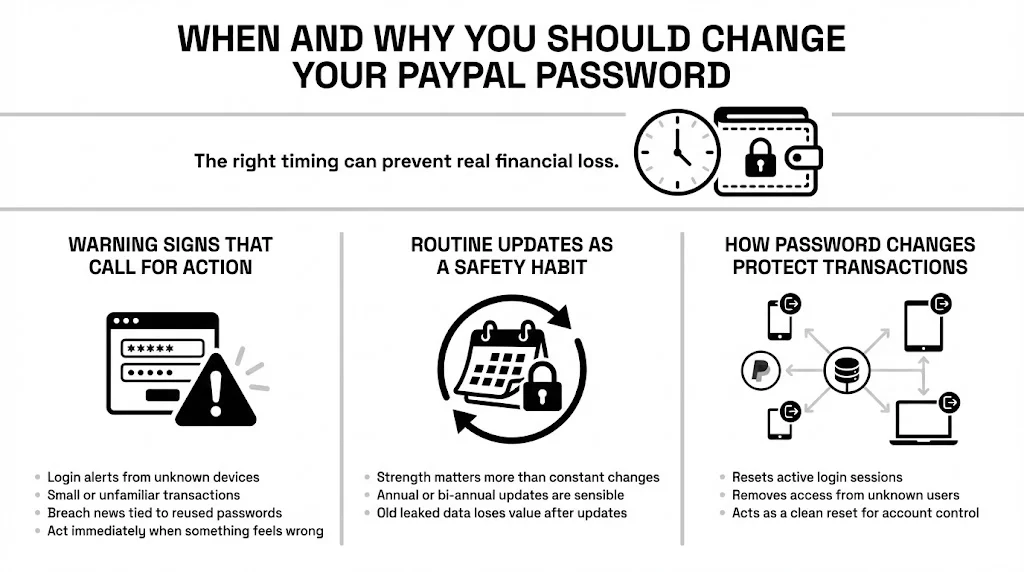
- Unusual Login Alerts: If you receive an email stating, “New login from [Unknown Device],” and you know it was not you, change your password immediately.
- Unknown Transactions: Even a charge for a few cents can be a test run by a scammer to see if the account works.
- Data Breach News: If a major service you use (like a streaming site or email provider) announces a breach, and you share a password with PayPal, assume your payment account is at risk.
Routine Password Updates as a Safety Habit
Security experts used to suggest changing passwords every 90 days. The National Institute of Standards and Technology (NIST) now advises focusing on strength over frequency, unless you suspect a breach. However, refreshing your payment credentials once or twice a year is still a healthy habit. It makes certain that if your data was part of an old, unreported breach, the stolen information becomes useless to thieves.
How Updates Help with Transaction Protection
A Paypal change password action forces a reset of your security tokens. This means anyone currently logged into your account—whether it is a hacker in another country or an old device you sold—gets kicked out. They are unable to get back in without the new credentials. It acts as a “hard reset” on who has access to your money.
Paypal Change Password: Step-by-Step Guide
Updating your credentials should not be a struggle. Here is a clear workflow to get it done quickly on different devices.
Step #1: Accessing Account Settings (Web Browser)
- Go to the PayPal website and sign in.
- Look for the gear icon (Settings) usually located at the top right corner of the dashboard.
- Click on the “Security” tab. This might appear in a secondary menu depending on your region.
Step #2: Finding the Password Update Option
Once in the Security tab:
- Locate the section labeled “Password.”
- Click “Update” or “Change.”
- You will need to type your current password first. This proves it is really you making the change.
Step #3: Creating and Saving the New Password
- Enter your new, strong password (we will discuss how to make a great one in the next section).
- Re-enter it to confirm.
- Crucial Step: Before you click save, ensure you record this new password in a secure place, like your WhiteVault. Do not rely on your memory alone.
Step #4: Confirming the Update
After clicking “Change Password,” PayPal will confirm the update via email. Check your inbox to ensure the notification arrives. If you receive this email but did not make the change, contact support immediately.
What to Do If the Change Does Not Go Through
Sometimes, glitches happen.
- Check your internet connection: A drop in connectivity can fail the save.
- Browser issues: Try clearing your cache or using a different browser.
- System locks: If you try too many times, PayPal might lock the feature temporarily. Wait 15 minutes and try again.
Creating a Strong and Safe PayPal Password
A lock is only as good as its construction. If your password is “123456,” you are essentially leaving the door wide open.
1) Length and Complexity Basics
Current guidance from NIST emphasizes length. A longer password is mathematically harder for computers to crack than a short, complex one.
- Bad: P@ss1 (Short, easy to guess).
- Good: M0nkeyB@nana! (Better, but common words).
- Best: Purple-Elephants-Dance-On-Mars-2025 (Long, random, very hard to crack).
Aim for a “passphrase”—a string of random words that paint a picture in your head but make no sense to a computer. Aim for at least 12-15 characters.
2) Using Unique Passwords for Payment Accounts
This is the golden rule: Never reuse passwords. Your PayPal password should exist only for PayPal. It should not match your email, your Facebook, or your bank login. If one site falls, the others remain safe.
3) Avoiding Personal Details and Common Patterns
Hackers use “dictionaries” of common terms to crack accounts. Avoid:
- Names of pets, children, or spouses.
- Sports teams (e.g., “Yankees2024”).
- Keyboard patterns (e.g., “qwerty” or “asdfgh”).
4) Password Storage Tips That Reduce Risk
The biggest challenge with strong, unique passwords is memorizing them. This is where people get overwhelmed. You cannot rely on your browser (which is easily accessed if your laptop is stolen) or a sticky note on your monitor.

How WhiteVault Solves This?
It allows you to store complex credentials in an encrypted environment. You only need to memorize one master code to access all your critical information. This gives you the freedom to create incredibly strong passwords for PayPal without the anxiety of forgetting them.
Secure Login and User Verification Tips
A strong password is your first line of defense, but it should not be your only one.
Using Two-Step Sign-In for Added Protection
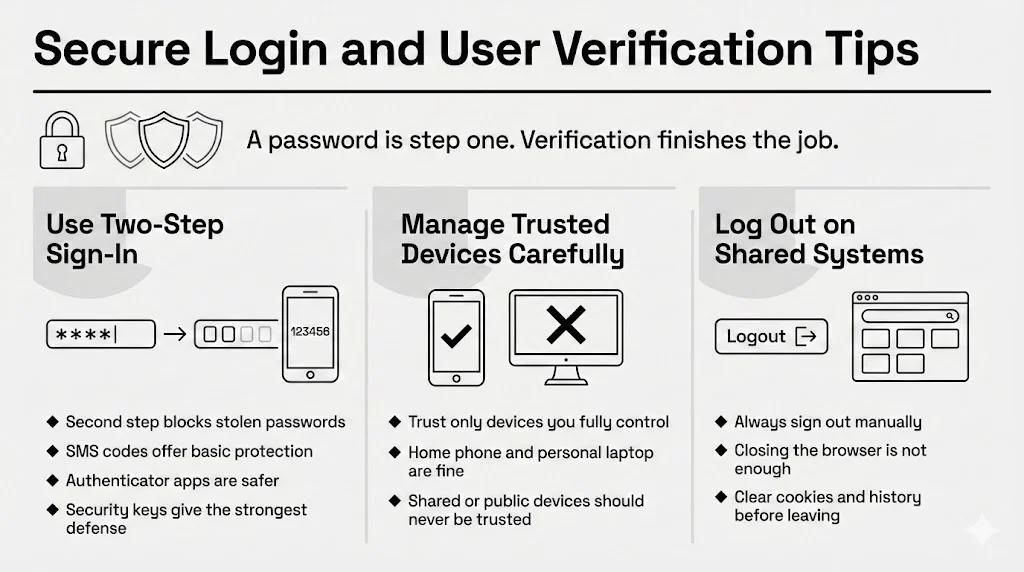
Two-Factor Authentication (2FA) adds a second layer of safety. Even if someone steals your password, they are unable to log in without a code sent to your phone or generated by an authenticator app.
- SMS Codes: Better than nothing, but SIM swapping attacks make them vulnerable.
- Authenticator Apps: Apps like Google Authenticator or Authy generate codes locally and are safer.
- Security Keys: Physical USB keys (like YubiKey) offer the highest protection.
Enable this in your PayPal Security settings immediately.
Managing Trusted Devices
PayPal allows you to mark devices as “trusted,” meaning you do not need to enter a 2FA code every time. Only do this on devices you strictly control, like your personal mobile phone or home computer. Never trust a library computer, a work laptop shared with colleagues, or a friend’s tablet.
Logging Out on Shared or Public Systems
If you must check your account at a hotel business center or library (which we advise against), always sign out explicitly. Simply closing the browser window might leave your session active for the next person. Clear the browser history and cookies before you walk away.
Account Management Settings That Improve Safety
Aside from the password, PayPal offers several controls to tighten your security.
Reviewing Privacy Controls
Check your privacy settings to control what data is shared with merchants. Minimizing the data you broadcast reduces your exposure if a merchant gets breached.
Checking Linked Devices and Apps
Over time, we connect our PayPal to various services—Uber, eBay, streaming subscriptions.
- Go to Settings > Data & Privacy > Permissions.
- Review the list of merchants you have authorized.
- Remove any service you no longer use. This closes “backdoors” into your finances.
Setting Alerts for Account Activity
Knowledge is power. Configure PayPal to send push notifications or emails for:
- Every payment sent.
- Every login attempt.
- Changes to profile information.
These alerts act as an early warning system. If you see a “Payment Sent” alert while you are watching TV, you can act instantly.
Protecting Transactions After a Password Change
Executing a Paypal change password procedure is a great reset, but you must remain vigilant immediately afterward.
Reviewing Recent Payments
Right after you update your login, scan your transaction history for the last 30 days. Look for small, unnoticeable charges. Scammers often siphon small amounts hoping you will not notice. If you spot anything odd, dispute it immediately.
Monitoring Future Activity
For the first few weeks after a security update, check your account more frequently than usual. Ensure that no authorized billing agreements were set up silently by an intruder before you locked them out.
How PayPal Flags Suspicious Behavior
PayPal’s automated systems are good, but they are not perfect. They might freeze your account if you change your password and immediately try to send $1,000 to a new recipient. This is a safety feature, not a bug. If this happens, you may need to verify your identity through a phone call or by confirming a code sent to your email.
Account Recovery and What to Do If You’re Locked Out
We have all been there—staring at a login screen, mind completely blank.
Steps to Recover Access if You Forget Your Password
- Click “Having trouble logging in?” or “Forgot Password?”
- Enter the email address associated with the account.
- Select a recovery method (receive a text, an email, or answer security questions).
Reset Options and Identity Checks
If you no longer have access to your phone number or email, PayPal will require stricter proof of identity. They might ask for a photo of your driver’s license or credit card statement. This process takes time—sometimes days.
How to Avoid Recovery Delays
This is where organization saves the day. In your personal vault (like WhiteVault), you should store not just your current password, but also:
- Your answers to security questions (e.g., “What was the name of your first pet?”).
- Backup codes for your 2FA.
- Images of your ID documents.
Having these handy turns a potential crisis into a minor inconvenience. You will have exactly what the support team needs to verify you quickly.
Common Password Mistakes to Avoid
Even smart people make simple errors that undermine their efforts.
1) Reusing Old Passwords
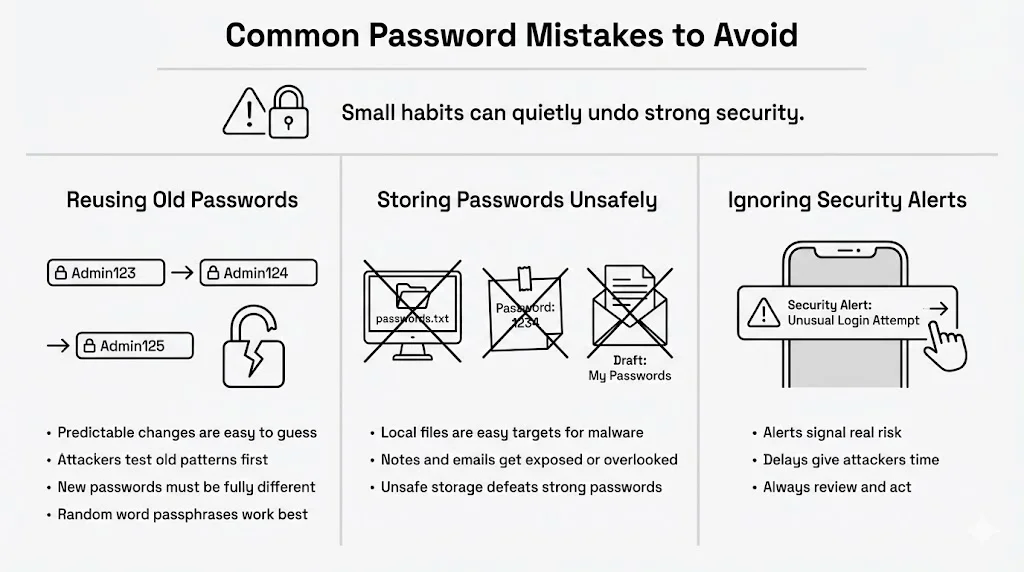
When the system asks for a new password, do not just change “Summer2024” to “Summer2025.” Hackers know this pattern. Make the new code entirely different. Using a distinct, random string of words prevents attackers from guessing your new login based on the old one. This is a vital part of the Paypal change password process.
2) Saving Passwords in Unsafe Places
We see this constantly:
- A “Passwords” document on the desktop.
- A sticky note under the keyboard.
- A draft email in your inbox titled “Logins.”
These are the first places intruders look. If malware infects your computer, it scans for files with these names. Keep credentials off your hard drive and in a secure, encrypted environment.
3) Ignoring Security Alerts
If you get a notification asking, “Was this you?”, do not just delete it. Verify it. Ignoring these warnings gives intruders the time they need to do damage.
Practical Security Tips for Long-Term Protection
Security is not a one-time task; it is an ongoing practice.
Keeping Contact Details Current
If you change your phone number, update it in PayPal immediately. If you get locked out and the recovery text goes to a disconnected number, regaining access becomes a nightmare. Set a reminder to review your contact info in your WhiteVault profile or calendar every six months.
Watching for Phishing Messages
Phishing remains the number one threat to credentials. You might get an email that looks exactly like a PayPal alert, saying, “Your account is suspended. Click here to fix it.”
- The Golden Rule: Never click links in unexpected emails.
- The Test: If you receive an alert, close the email. Open your browser, type in paypal.com manually, and log in. If there is a real issue, you will see a notification on your dashboard. If not, the email was a trap.
Regularly Reviewing Account Activity
Make it a habit to log in once a month, even if you haven’t bought anything. Check your balance and linked cards. Regular eyes on the account make you less of a target.
Conclusion
Taking charge of your financial safety does not require you to be a tech wizard. It starts with simple, deliberate actions. A regular Paypal change password routine, combined with strong, unique credentials, creates a formidable barrier against theft.
Keep in mind, the goal isn’t to be perfect; it’s to be better prepared than you were yesterday. By using tools like WhiteVault to store your complex passwords and recovery documents, you remove the stress of memorization. You gain peace of mind knowing that your most critical information is safe, organized, and accessible only to you.
Start today. Update that password, turn on two-step verification, and take control of your connected life.
Frequently Asked Questions (FAQ)
1) How often should I update my PayPal password?
While older advice said every 90 days, modern standards suggest changing it at least once a year or immediately if you suspect suspicious activity. If you hear of a major data breach on another site where you used the same password, perform a Paypal change password update instantly.
2) What makes a PayPal password strong?
Length beats complexity. A phrase of 12-15 characters consisting of random words (e.g., “Coffee-Train-Blue-Sky”) is stronger than a short code like “Tr@in1”. Avoid common patterns, personal names, or sequences like “1234”.
3) Can I reuse an old password on PayPal?
No. Reusing credentials is a high-risk behavior. If an attacker finds an old database from a different site, they will try those credentials on PayPal. Always create a unique code for your financial accounts.
4) What should I do if I see a login I do not recognize?
Act fast. Log in and change your password immediately. Then, check your transaction history and remove any unknown trusted devices in your security settings. If money is missing, contact PayPal Resolution Center right away.
5) Will changing my password affect saved payments or linked accounts?
A Paypal change password action will not cancel your recurring subscriptions (like Netflix or Spotify) that charge your account automatically. However, you will need to log back in on any devices (phones, tablets) where you use the PayPal app.
6) How do I recover my PayPal account if I forget my password?
Click the “Forgot Password” link on the login screen. You will need access to the email or phone number on file. To prevent getting locked out permanently, store your recovery answers and ID documents in a secure place like WhiteVault.


