
We have all been there. You settle in for a movie night, popcorn in hand, only to find you are unable to log in. Or perhaps you notice a show in your “Continue Watching” list that you definitely did not start. The average person now manages over 160 internet accounts—from banking and shopping to social media and entertainment. Keeping track of unique, strong passwords for each one feels nearly impossible. So, we reuse credentials, scribble them on sticky notes, or reset them constantly.
But relying on memory or reused logins creates a weak link in your security chain. Streaming services are often overlooked when we think about data protection, yet they hold valuable personal information. Taking control of your internet security does not require you to be a tech expert. It starts with simple habits. This guide covers everything you need to know about why, when, and how to perform a Netflix change password, ensuring your entertainment stays yours and your data stays safe.
Understanding Why a Netflix Password Update Matters
Many users handle streaming accounts casually. Since it is not a bank account, it feels less critical. However, cybercriminals view these accounts differently. They are valuable commodities on the dark web, and they often serve as a gateway to your wider virtual identity.
How Streaming Accounts Become Targets for Misuse
Your Netflix account contains more than just your watchlist. It holds payment methods, email addresses, and phone numbers. Hackers often target these platforms using “credential stuffing.” This happens when a username and password from a breach at one company (like a hotel chain or retail store) are used to try and access accounts at other services, like Netflix. Because so many people reuse passwords, this tactic is surprisingly effective.
Once inside, bad actors can sell the login to others, change the plan to a more expensive tier, or use the personal data found in the account settings to craft convincing phishing emails targeting your other accounts.
Risks of Shared Passwords and Unsecured Devices
Sharing is caring, or so the saying goes. But sharing login credentials creates significant security holes. When you give your password to a friend, you lose control of that data. They might save it on a public computer, write it down where others can see it, or share it with a third person without your permission.
In addition, leaving your account logged in on an Airbnb TV or a hotel room device exposes your viewing history and settings to strangers. A periodic Netflix change password is the only way to forcefully close these doors and regain control over who has access to your subscription.
The Link Between Account Security and Privacy Protection
Your viewing history is a window into your life. It reveals your preferences, habits, and even your schedule. Privacy protection involves keeping this data limited to you and your household. When unauthorized users access your profile, they muddy your algorithm, but they also violate your personal space. Securing your account protects the integrity of your personal recommendations and keeps your entertainment habits private.
Signs That Suggest It Is Time for a Password Update
You do not always need to wait for a catastrophic failure to update your credentials. Watch for these subtle red flags:
- New viewing activity: Shows appear in your history that you never watched.
- Plan upgrades: Your billing statement shows a higher charge than expected.
- New profiles: A profile named “User 1” or a stranger’s name appears on your screen.
- Language changes: The interface suddenly appears in a different language.
When You Should Change Your Netflix Password
Timing is everything. While a routine update is good, specific triggers should prompt immediate action. Understanding these moments helps you stay ahead of potential threats.
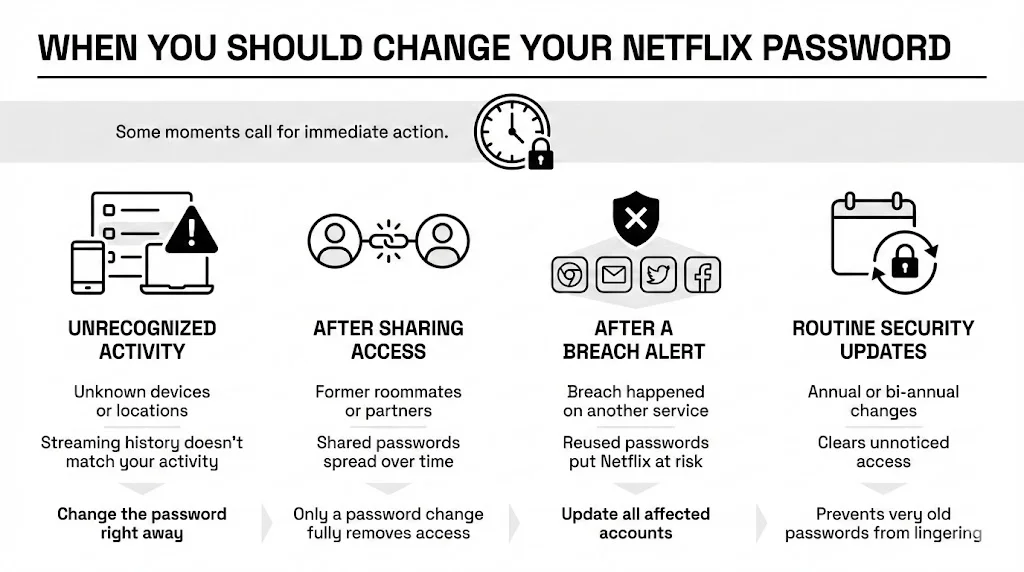
1) Suspected Unauthorized Account Access
If you see unfamiliar devices in your “Recent Device Streaming Activity” list, do not hesitate. This list, found in your account settings, shows where and when your account was accessed. If you live in Ohio but see a login from Paris, someone else is using your subscription. This is the most urgent reason to execute a Netflix change password immediately.
2) After Sharing Login Credentials
Connections change. Roommates move out, friendships drift, and breakups happen. If you have shared your password with anyone who is no longer in your immediate circle, it is time to update it. Even if you trust the person, you can’t be certain they practice good security hygiene. They might reuse that password for a forum that gets hacked, inadvertently exposing your Netflix account.
Why does temporary sharing carry risk? Because once a password leaves your possession, you are unable to delete it from the other person’s memory or their browser’s autofill settings. The only way to revoke access is to change the lock on the door.
4) Following a Data Breach or Security Alert
You might receive an alert from a service like Have I Been Pwned or a notification from a different app stating your data was part of a breach. Even if the breach did not happen at Netflix, you must assume your credentials are compromised if you have ever reused that password.
Reused passwords increase exposure exponentially. If your “secure” password for an old shopping site is the same as your Netflix login, and that shopping site gets breached, hackers will try that combination everywhere. Following any security news regarding services you use, a proactive update is your best defense.
5) As Part of Routine Account Security
We suggest managing your passwords like the batteries in your smoke detector—change them on a schedule. A bi-annual or annual update disrupts any unauthorized access that might have flown under the radar. It also forces you to review who has access to your account. Routine updates prevent credential stagnation, where a password from 2015 is still active and vulnerable today.
How to Change Your Netflix Password Step by Step
Updating your credentials should not be a struggle. Whether you are at your desk or on your phone, the process is straightforward if you know where to look.
Changing Your Password on Desktop
For the clearest view of your settings, using a computer browser is often easiest.
- Log in: Go to the Netflix homepage and sign in with your current credentials.
- Access the menu: Hover over your profile icon in the top right corner.
- Go to Account: Select “Account” from the dropdown menu. This page is the command center for your subscription.
- Security Settings: Look for the “Membership & Billing” section. You will see a link that says “Change password.”
- Enter details: You must type your current password, followed by your new, strong password (twice for confirmation).
- Crucial Step: Check the box that says “Sign out of all devices.” This is vital if you suspect unauthorized use. It forces every TV, tablet, and phone to log in again with the new credentials.
Changing Your Password on Mobile
Many of us manage our lives from our phones. The steps are similar, but the interface differs slightly.
- Open the App: Launch the Netflix app on your iOS or Android device.
- Select Profile: Enter any profile to get to the home screen.
- Find Settings: Tap “My Netflix” in the bottom right, then the Menu (three lines) in the top right.
- Tap Account: Select “Account.” Notice: On many devices, this will open your mobile web browser, as sensitive account changes are often handled outside the app for security.
- Follow the browser steps: Once the browser loads, the process mirrors the desktop experience. Tap “Change password,” enter your new credentials, and ensure you sign out all devices.
Resetting a Forgotten Password
If you are unable to get in to make the change, you need a reset.
- Click “Forgot Password”: On the login screen, select “Forgot email or password?”
- Choose your method: You can reset via email or text message (SMS).
- Email: You will receive a link. Click it to enter a new password.
- SMS: You will receive a verification code. Enter this code on the website to verify your identity before setting a new password.
- Voice Call: If you have a landline linked, Netflix can call you with a code.
This process emphasizes why keeping your recovery email and phone number current is essential for a smooth Netflix change password experience.
What Happens After You Change Your Netflix Password
Taking action brings peace of mind, but it also has immediate practical effects on your viewing experience.
How Account Access Updates Across Devices
If you selected “Sign out of all devices,” the change is absolute. The next time anyone tries to open Netflix on the living room TV, the iPad, or the browser, they will be greeted with a login screen. They will need the new credentials to proceed. This effectively cuts off ex-partners, old roommates, and hackers instantly.
If you did not check that box, some devices might stay logged in for hours or even days until their current session expires. For security purposes, we at Team WhiteVault always advise checking that box.
What Remains Untouched
Updating your login does not erase your personality from the platform.
- Profiles: All your profiles (Mom, Dad, Kids) remain exactly as they were.
- Watch History: Your progress in Stranger Things or The Crown is safe.
- My List: Your curated list of movies to watch stays intact.
- Subscription: Your billing cycle and payment method are unaffected.
Best Practices for Creating a Strong Netflix Password
A password update is only useful if the new password is strong. Changing “Password123” to “Password1234” does not improve your security posture.
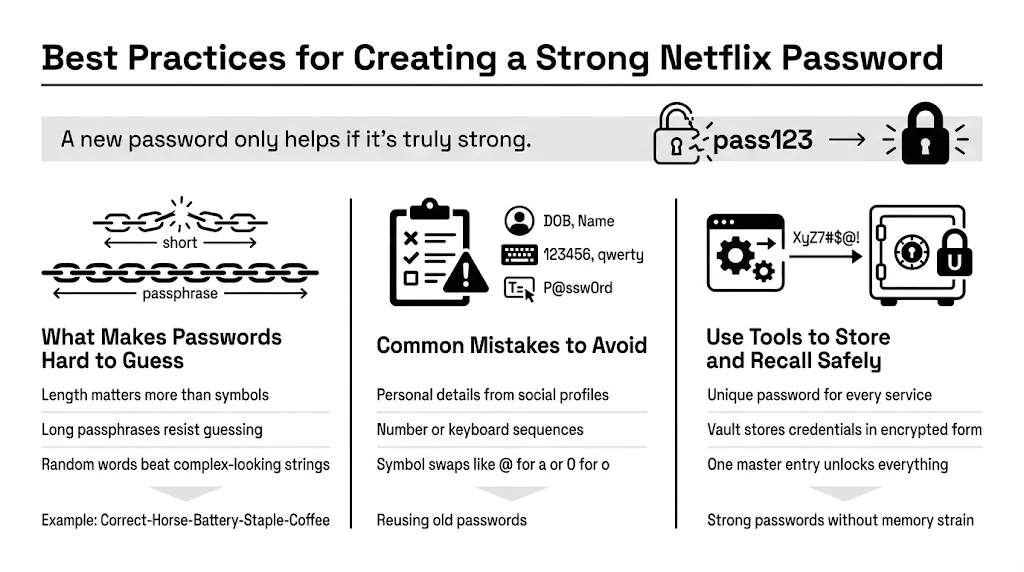
What Makes a Password Harder to Guess
The National Institute of Standards and Technology (NIST) advises that length is more important than complexity. A short password with symbols (Tr0ub4dor&3) takes a computer less time to crack than a long string of random words (CorrectHorseBatteryStaple).
Aim for a “passphrase”—a sequence of unrelated words that mean something to you but nothing to a computer. For example, Purple-Garage-Eating-72 is incredibly strong.
Mistakes to Avoid When Setting Passwords
- Personal Info: Avoid birthdays, pet names, or street addresses. These are easy to find on social media.
- Sequences: 123456, qwerty, or abcde are the first things hackers try.
- Common Substitutions: Swapping “a” for “@” or “o” for “0” is a trick hackers have known for decades. It does not fool automated cracking tools.
- Recycling: Never use a password you have used before, even if it was years ago.
Tools That Help Save and Recall Login Credentials
The biggest barrier to unique passwords is memory. This is where a secure personal vault comes in. Instead of trying to memorize 50 different complex codes, you only need to recall one master password to access your vault.
Tools like password managers generate random, complex passwords for you and store them in an encrypted format. When you perform a Netflix change password, you simply save the new entry in your vault. This ensures you never get locked out and allows you to use the strongest possible passwords without the fear of forgetting them.
Managing Profiles and Account Access After a Password Change
Once the password is fresh, take five minutes to tidy up the rest of the account. This “spring cleaning” ensures your security wall has no cracks.
Reviewing Profile Management Settings
Go to the “Manage Profiles” section. Do you see profiles for people who should no longer have access? Delete them. This prevents their viewing history from cluttering yours and removes a psychological link to the account. If you see a profile you do not recognize, delete it immediately—it could be a sign of an intruder using a dedicated slot to fly under the radar.
Checking Recent Device Activity
After changing your password and signing out of all devices, wait 24 hours and check “Recent Device Streaming Activity” again. It should only show your current location and devices. If you see persistent foreign logins, your computer or email might be compromised, allowing the attacker to re-access the information. In such a case, you need to secure your email account and scan your devices for malware.
Adjusting Security Settings for Peace of Mind
Check your “Communication Settings” within the account. Ensure that Netflix is sending notifications to your current email address. You want to be notified instantly if a password change occurs or if a new device signs in. Prompt alerts allow you to react fast if your security is breached again.
Extra Account Security Tips for Netflix Users
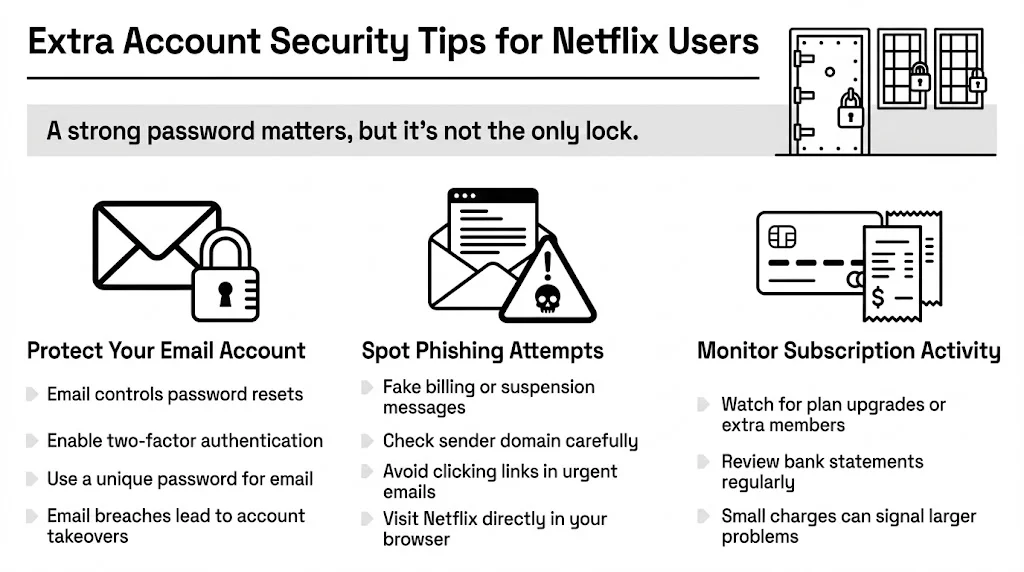
Securing the front door (the password) is vital, but you should also lock the windows.
Keeping Email Accounts Secure
Your email is the master key to your internet life. If a hacker gets into your email, they can request a Netflix change password without you knowing, locking you out of your own subscription.
- Two-Factor Authentication (2FA): Enable 2FA on your email provider. This requires a code from your phone to log in, adding a massive layer of protection.
- Unique Email Passwords: Never use your Netflix password for your email account.
Staying Alert to Phishing Attempts
Netflix is a common disguise for phishing scams. You might get an email saying, “Your payment failed” or “Account suspended,” asking you to click a link and log in.
- Check the Sender: Is the email actually from @netflix.com? Scammers often use slightly wrong addresses like @netflix-support-update.com.
- Don’t Click: If you get a scary email, do not click the link. Open your browser, type netflix.com manually, and log in. If there is a real billing issue, the website will tell you immediately.
- Hover Over Links: On a desktop, hover your mouse over the button. Does the preview URL look legitimate?
Monitoring Subscription Management Details
Regularly check your bank statements. Sometimes hackers do not steal the account; they just add “Extra Member” slots or upgrade the plan to Premium, costing you money every month. Catching these small changes early can save you significant cash and alert you to a breach.
Conclusion
Your streaming account is more than just a way to watch movies; it is a repository of personal data and a paid service that belongs to you. Handling it with the same respect you give your other sensitive logins is a smart move for your overall security.
By recognizing the risks of reused credentials and knowing exactly when to perform a Netflix change password, you take a proactive stance against identity theft and privacy invasion. It is not about being paranoid; it is about being prepared. Security is a series of small, smart choices. Whether it is kicking off an ex’s device, securing your account after a data breach, or simply using a secure vault to manage your logins, every step makes you safer.
Take a moment today to review your settings. A few minutes of maintenance now can save you hours of stress later. Protect your stream, secure your data, and enjoy your movie night with total peace of mind.
Frequently Asked Questions (FAQ)
1) How often should I perform a Netflix change password?
We suggest updating your password at least once a year as part of routine maintenance. However, if you hear about a major data breach in the news (even if it is not Netflix), or if you notice suspicious activity, you should update it immediately. If you share your account, updating it whenever a member leaves the group is also wise.
2) Does changing my password log everyone out?
Not automatically. During the password update process, you must check the box that says “Sign out of all devices.” If you select this, everyone—including you—will be logged out on all TVs, tablets, and phones. If you skip this checkbox, unauthorized users might retain access until their device refreshes its connection, which could take days.
3) Can someone access my Netflix if they only know my email?
No, they need your password as well. However, knowing your email makes you a target for phishing. They might send fake emails trying to trick you into revealing your password. In addition, if your email account itself is not secure, they could use the “Forgot Password” feature to take over your Netflix account.
4) Will changing my password affect my profiles or watch history?
No. A Netflix change password only affects access. Your profiles, “My List,” viewing history, and algorithm recommendations remain exactly the same. You will simply log back into the same personalized experience using the new credentials.
5) What should I do if my password keeps getting compromised?
If you find yourself resetting your password constantly because of hacks, the issue might be on your device or email.
- Run a virus scan on your computer and phone to check for keyloggers.
- Change your email password and enable Two-Factor Authentication (2FA).
- Ensure you are using a truly unique password for Netflix that is not used anywhere else.
- Consider using a secure personal vault to generate and store a complex credential that cannot be guessed.
6) Is it safe to store Netflix login credentials in a password manager?
Yes, it is much safer than writing them down or reusing simple passwords. Reputable password managers and secure vaults use military-grade encryption. This means even if the vault company were hacked, your data would remain unreadable. Using such a tool allows you to use complex, uncrackable passwords without the burden of memorizing them.


